revamped mobile application
Enhanced the car buying and selling experience for an India-based automotive technology company






My Role
Research
Conceptualisation
Design
Dev hand-off
Team
Product Manager
Business Analyst
Designer
Developers
Duration
2 Months
Deliverable
Audit Report
Hybrid Mobile Application
introduction
What are we addressing?
An India-based company observed that they were struggling to attract customers to their app for buying and selling new and used cars. Despite offering additional services like car repair and loans, their customer acquisition rate remained stagnant. To address this issue, they decided to enhance the user experience and streamline their offerings.
But what’s wrong with the current application?
problem breakdown
Let’s Find Out
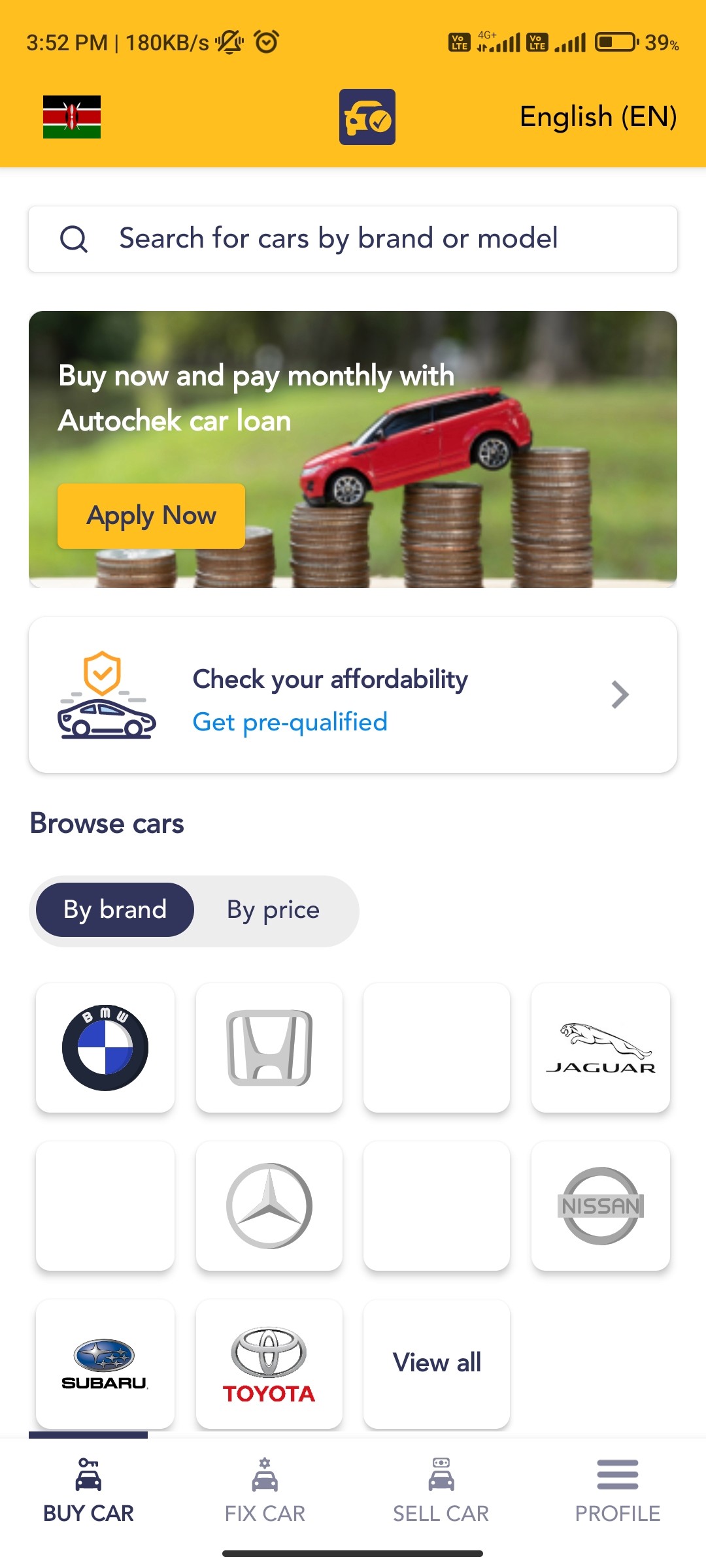
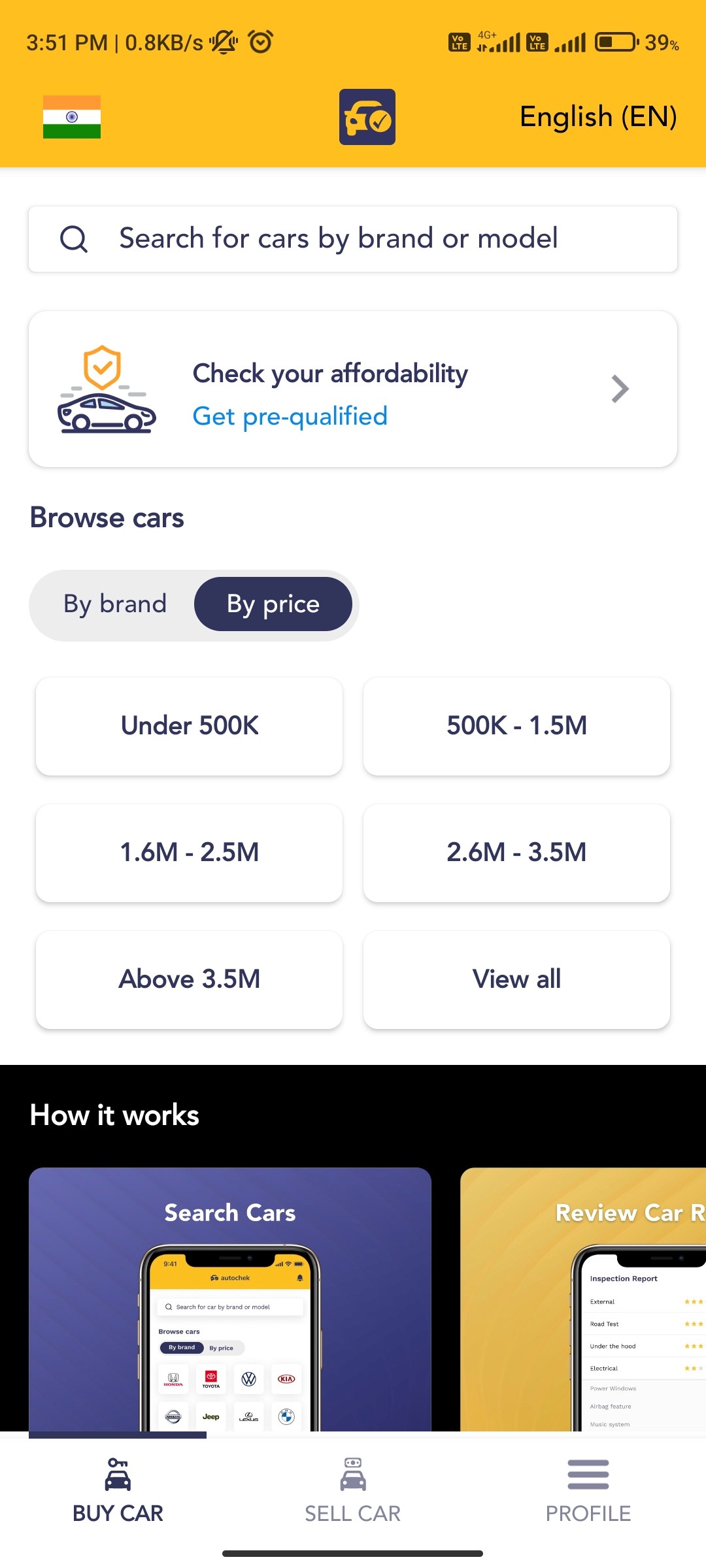
After reviewing the app, I found key gaps that may cause user drop-offs. Improving these areas can boost trust and retention.
1
Lack of Key Features and Benefits
The app misses highlighting essentials like deals, warranties, or trade-ins, making it less appealing than competitors.
2
Unclear Explanation of Platform Process
The “How it Works” section is vague, leaving users unsure about buying, selling, or repairing cars.
3
Limited Categorization of Cars
Few car categories restrict filters like fuel type, brand, or price, leading to a frustrating experience.
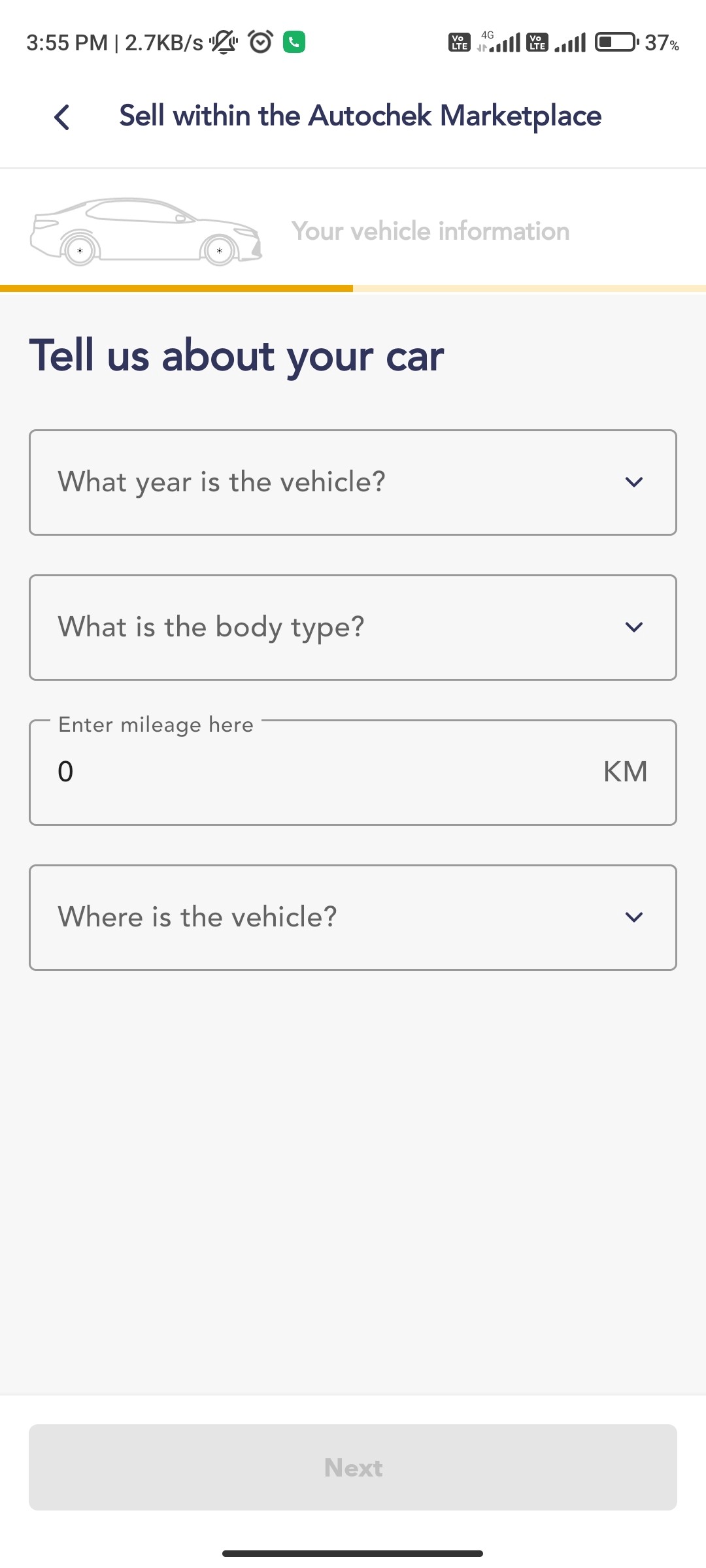
Sell within our Marketplace
4
Disconnect Between App and Real-World Car Buying
The app misses real-life steps like test drives or dealer interactions, creating a gap from actual car buying.
5
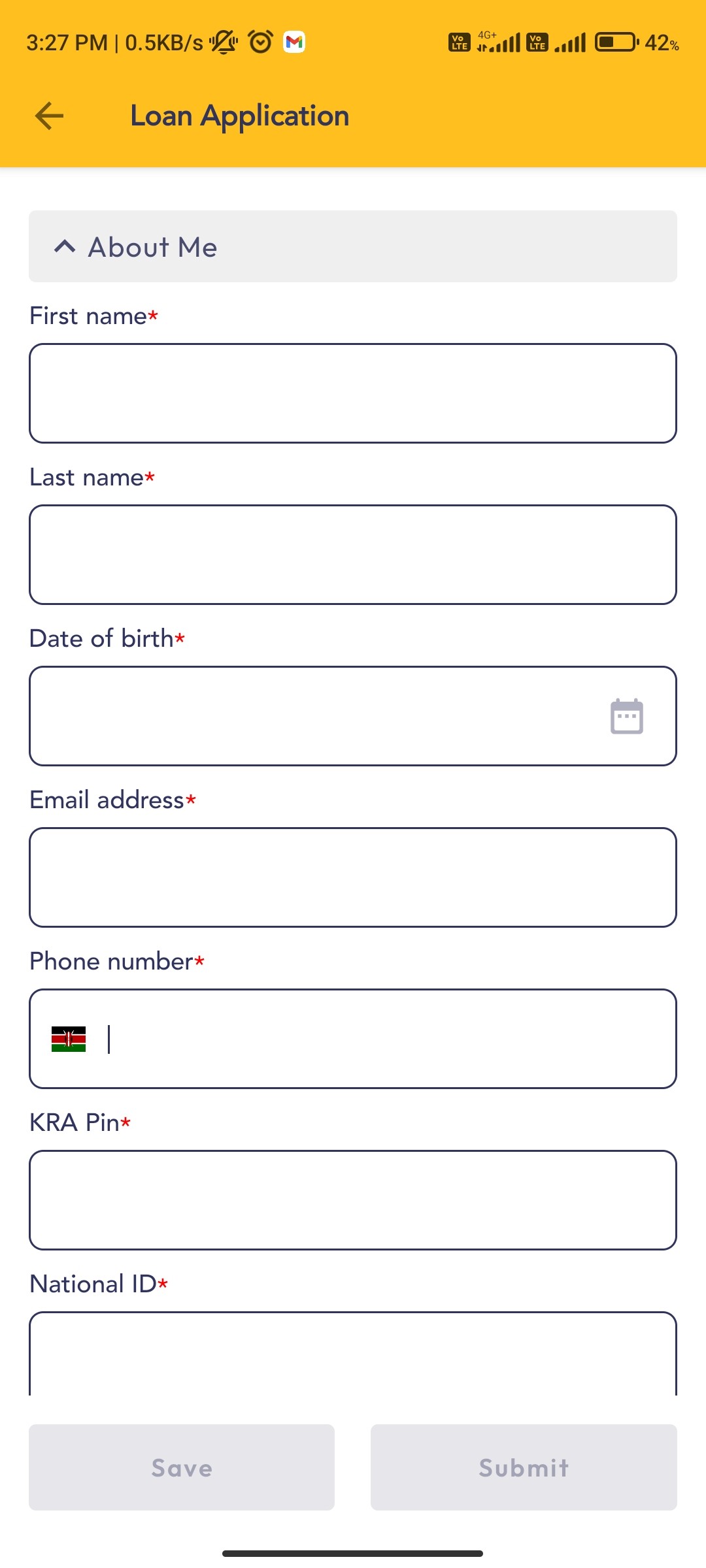
Overwhelming Loan Application Process
The single-page loan form feels overwhelming and forces users to backtrack, causing frustration.
6
Minimal Use of Visual Aids
With few images or icons, users rely only on text, reducing clarity and engagement.
client’s goal
What does client wants to achieve?
Enhance Visual Design
Simplify Loan Process
Suggest New Features
research & insights
Digging Into the Details
User’s experience with buying, selling or repairing a car
I reviewed discussions from online forums and user reviews to identify common challenges people face during these processes. I also drew insights from observing the offline process of buying and selling cars through friends and family experiences.

“Visiting multiple dealerships to compare models is frustrating.”
“Uncertainty about the car’s history or condition is unsettling.”
“The financing process is complicated and hard to navigate.”
“I’m interested in buying a pre-owned car, but”

"I Hear You—Here’s How We Can Improve"
“What if you could compare various car models in one place”
“Imagine accessing detailed car history reports readily”
“Easily understand financing options & make informed decisions”
A few more things users struggle with
“I keep getting offers that are way below what my car is worth.”
“The paperwork for selling a car is more complicated than it should be.”
“The process of selling my car seems to drag on forever, and it’s exhausting.”
“The process of selling my car seems to drag on forever, and it’s exhausting.”
“The process of selling my car seems to drag on forever, and it’s exhausting.”
“The process of selling my car seems to drag on forever, and it’s exhausting.”
Existing products addressed some of the pain points, but no one product did it all...





In-App Car Servicing
None of the apps offer integrated options for booking car maintenance and servicing, leaving users without post-purchase support.
Peer-to-Peer Marketplace
There’s a lack of a platform for individual sellers to connect directly with buyers, as most apps focus on dealer listings.
Comprehensive Car History Reports
Detailed vehicle history reports aren’t consistently available within the apps, which affects trust and transparency in the buying process.
Community Reviews and Forums
The apps lack a space for users to share reviews, experiences, and discussions, limiting the community engagement and informed decision-making.
solution design
Shaping the Solution
Home Screen
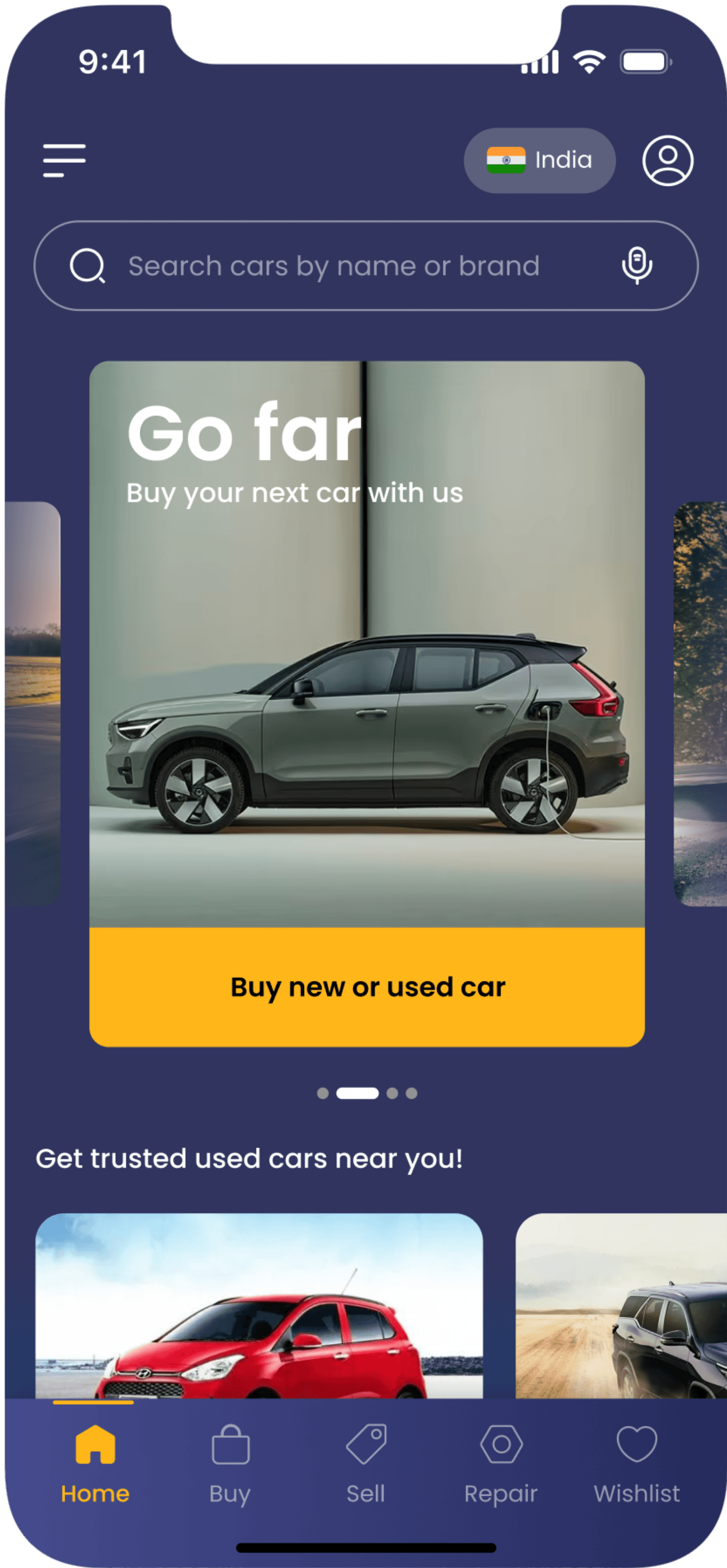
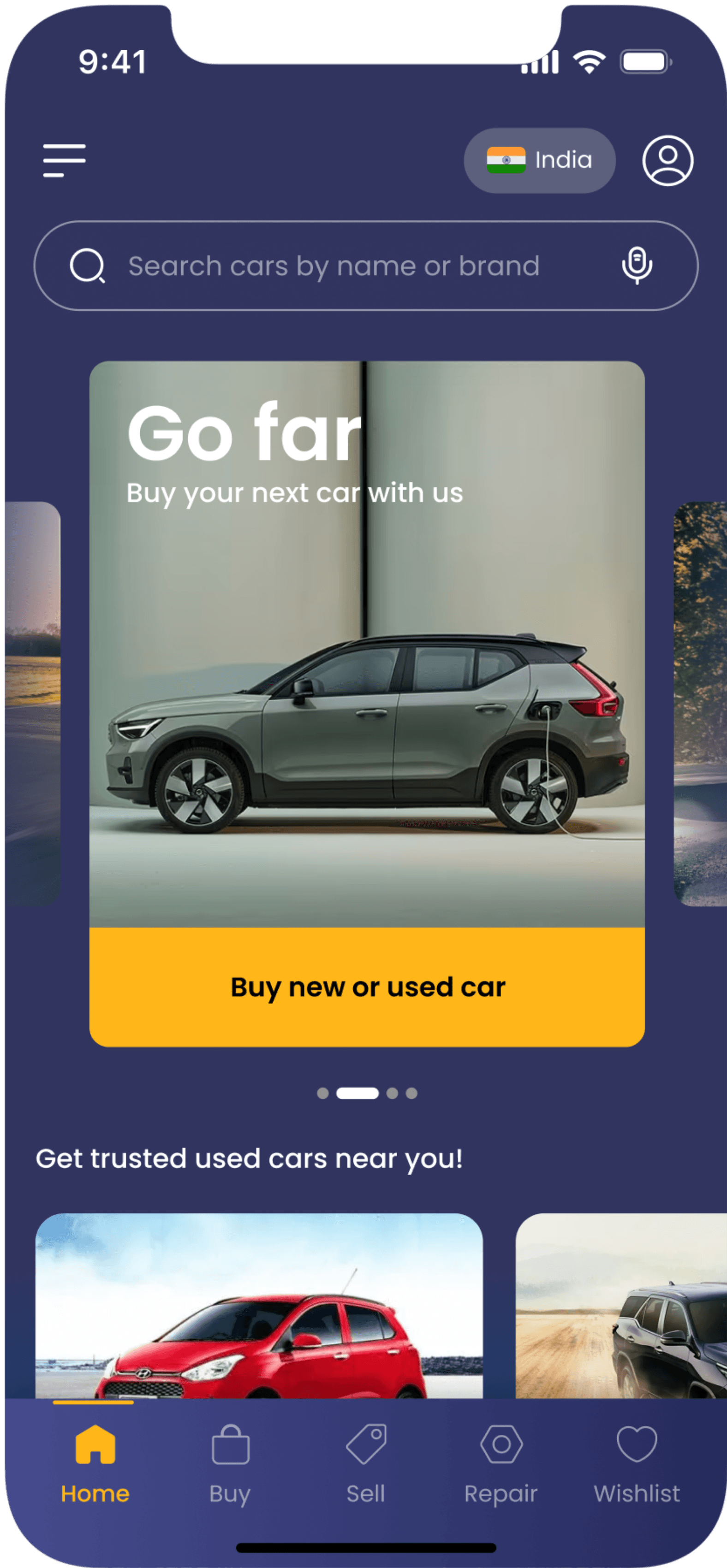
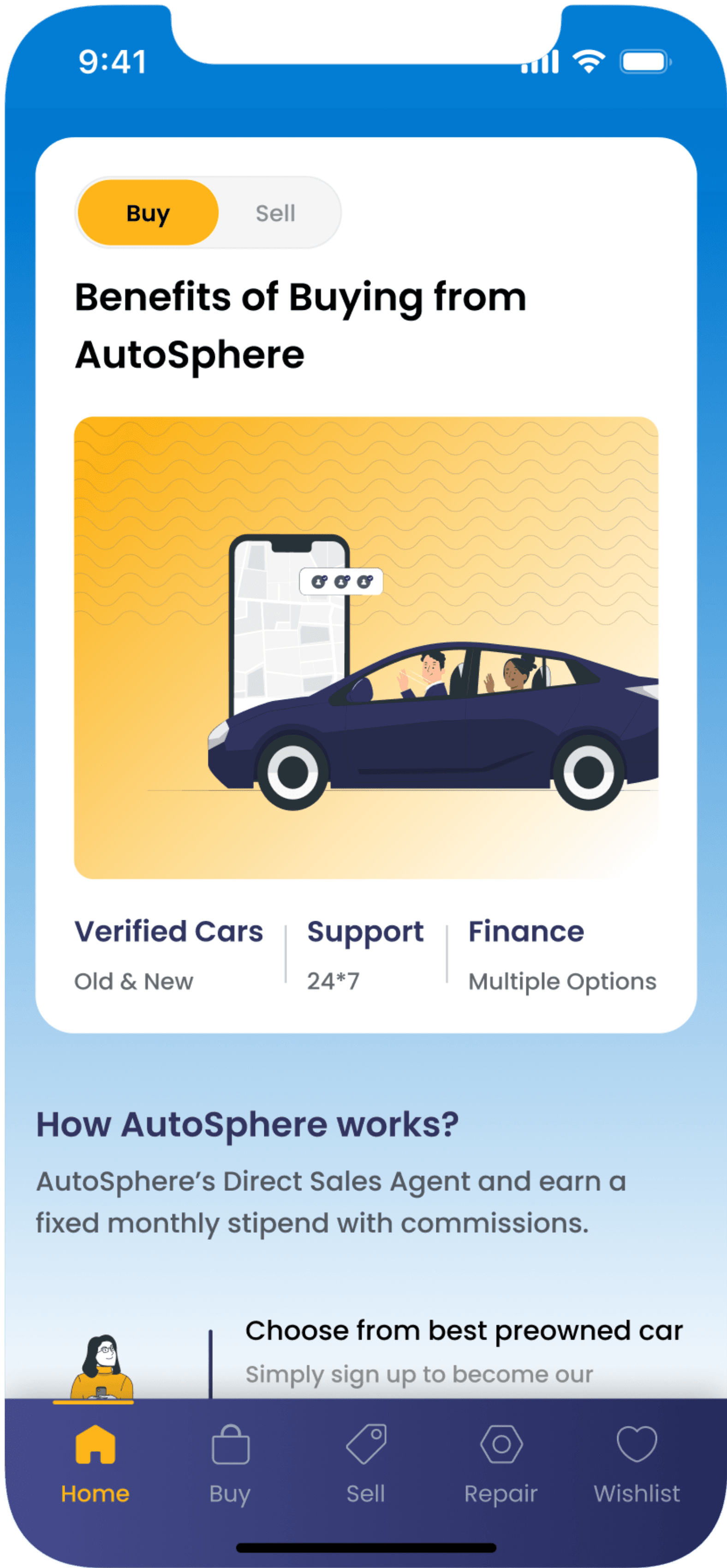
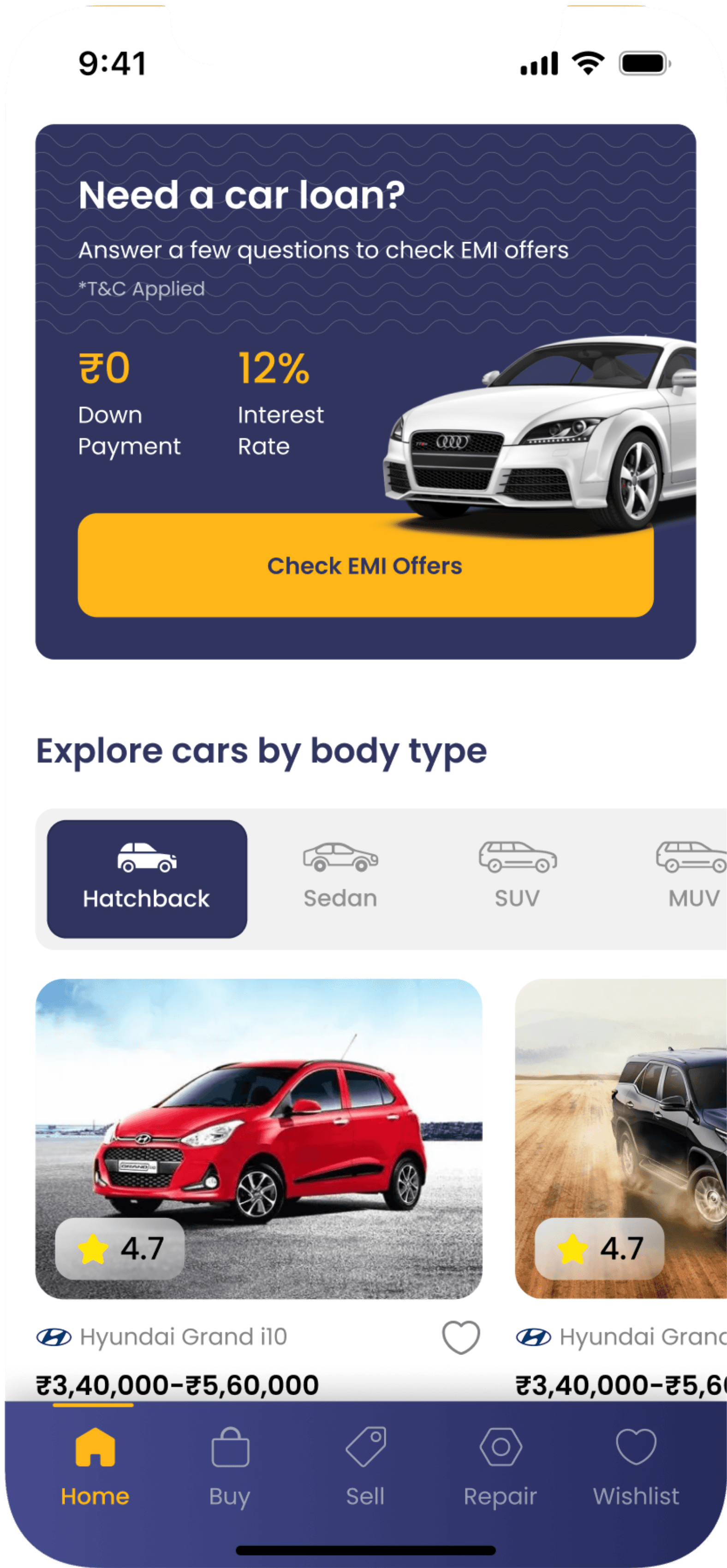
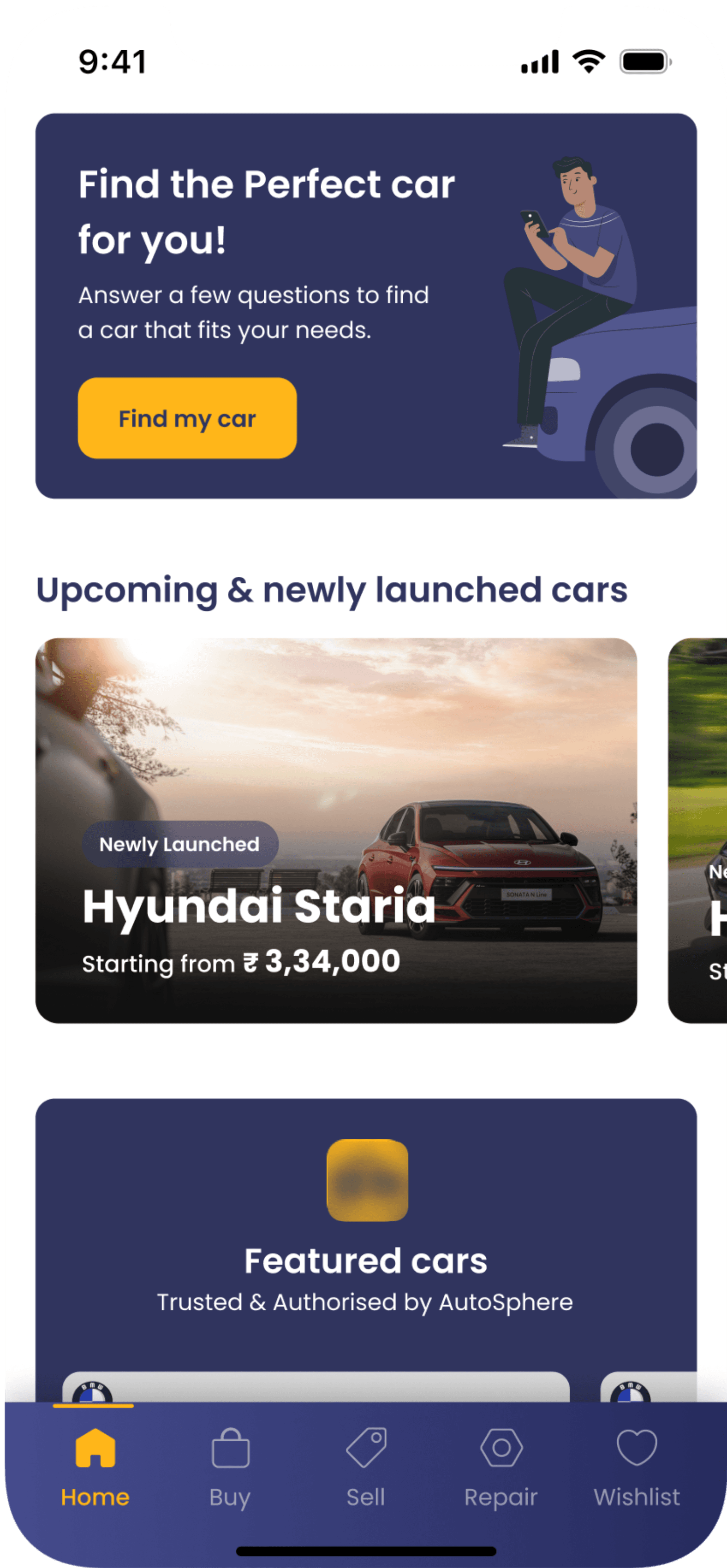
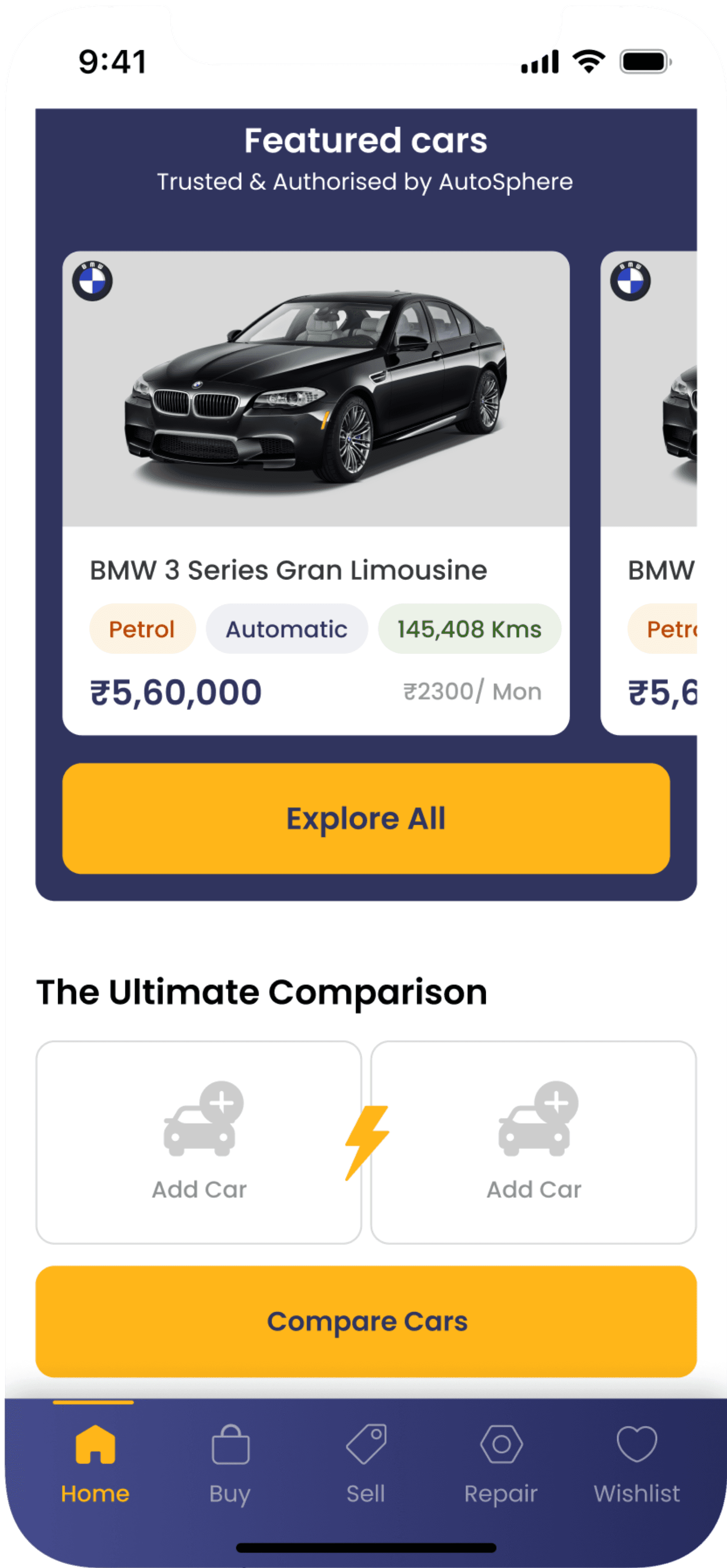
On the home screen of the app, I focused on showcasing the key features that users are looking for and that will capture their attention. Most of these features are not present in the existing application.
1
Main Offerings
Displayed the main offerings—buying, selling, and repairing—in a carousel at the top of the homepage.
2
Capturing User Interest
Just below the main offerings, I’ve displayed some cars to quickly grab users' attention, as this is what they primarily want to see.
3
Benefits & Process
Now that users are familiar with the offerings and have viewed some products, I’ve detailed the benefits of buying and selling with us. With these benefits in mind, the next step is to understand our process.
4
New Features
Since the client was open to adding new features, I implemented options like "Find Your Ideal Car," "Car Comparison," and "Upcoming and Newly Launched Cars," among others.
Buying a Car
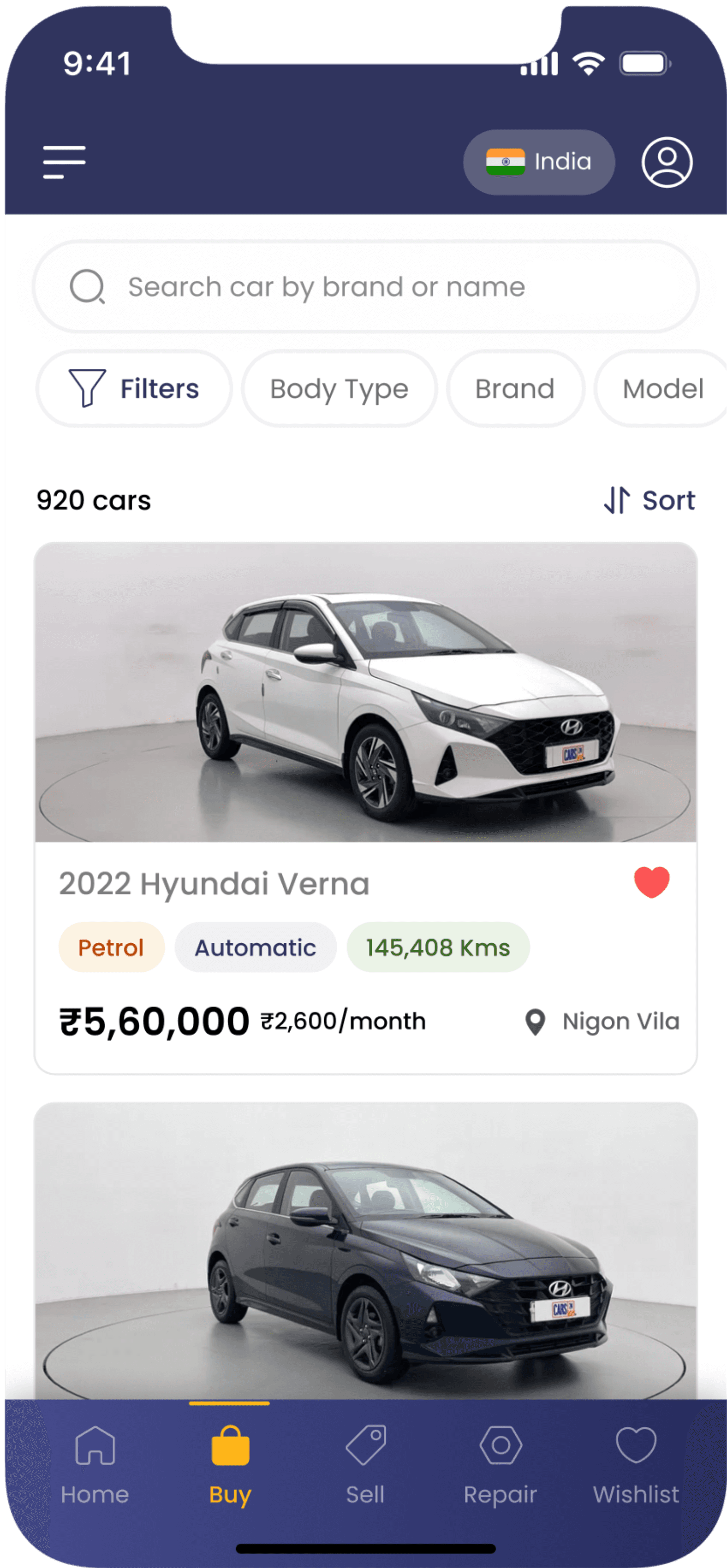
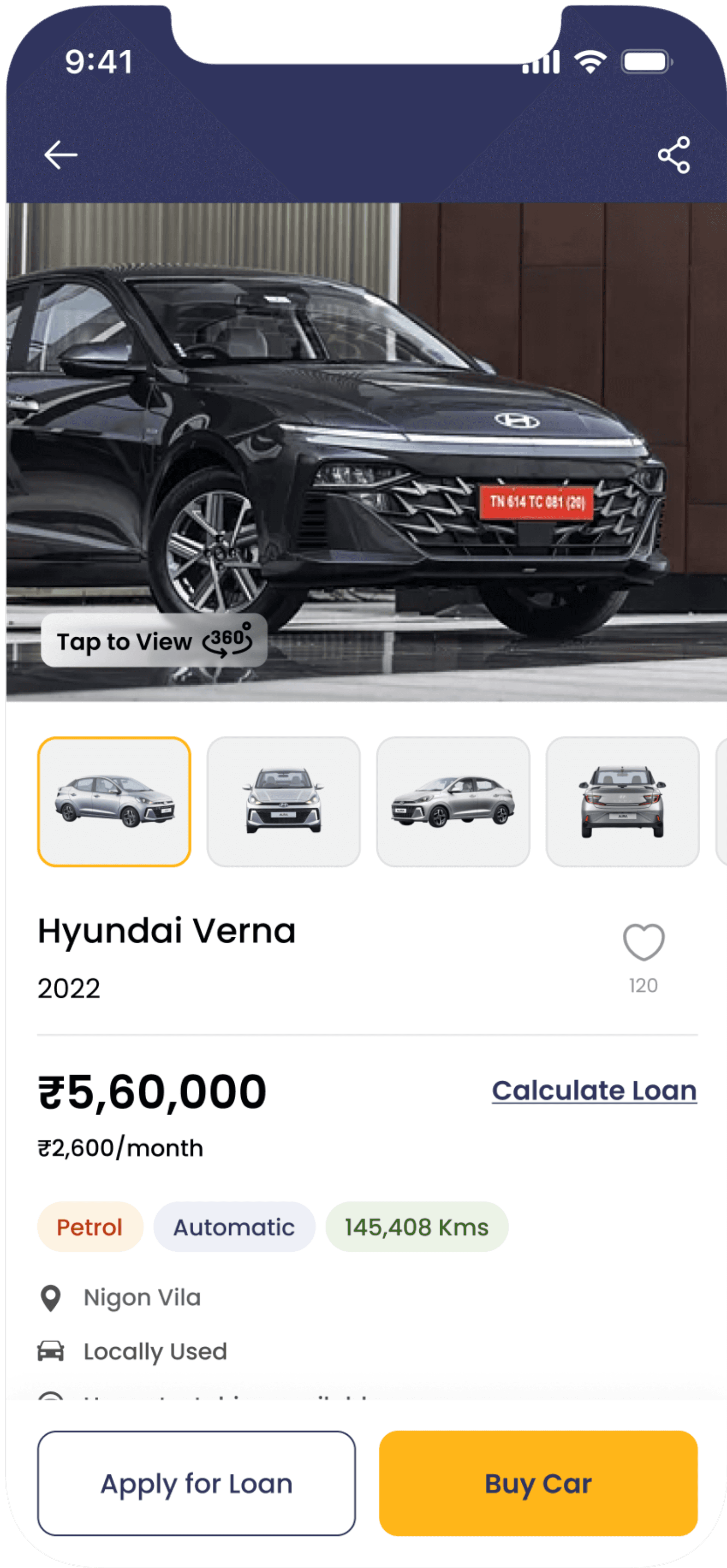
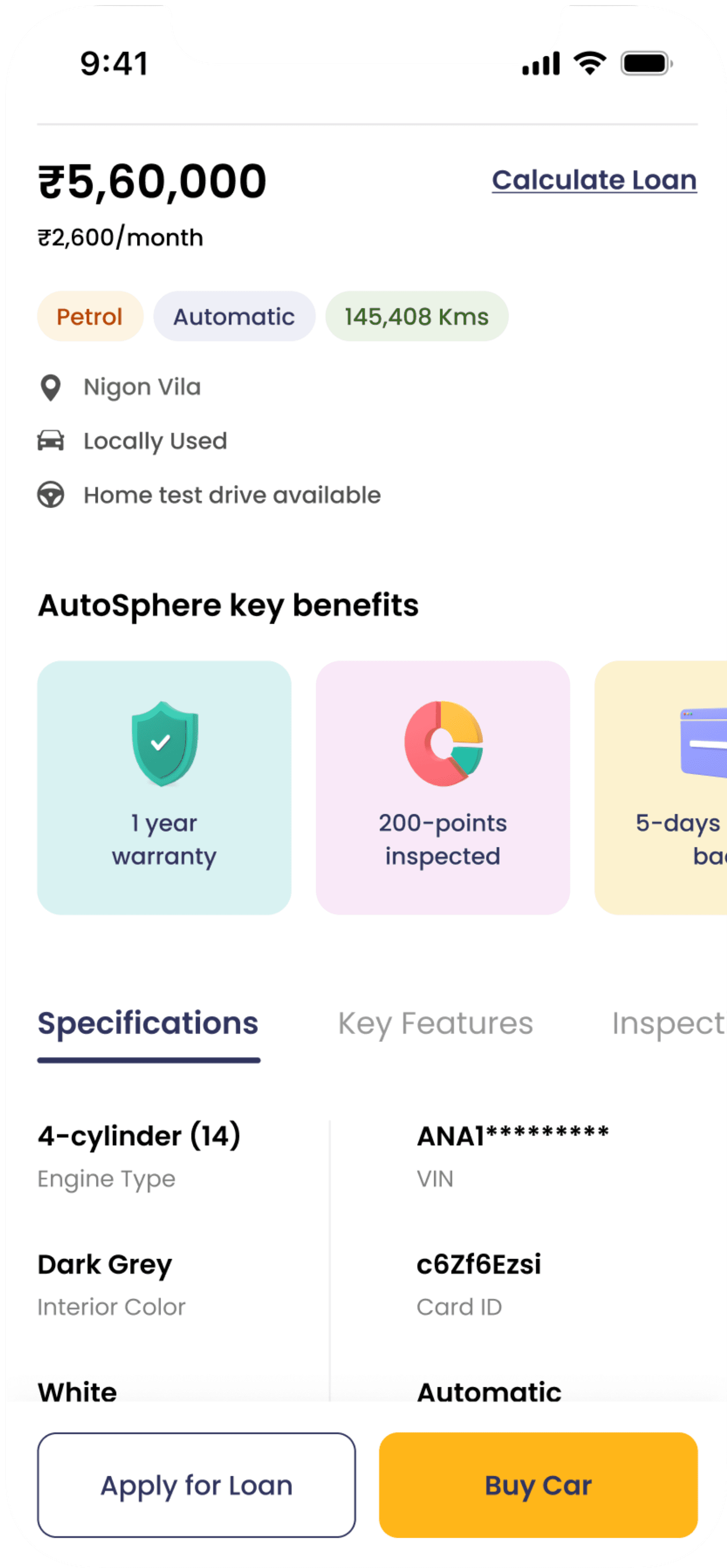
In the car buying section, I emphasized the key details of each vehicle on every screen, along with highlighting the specific benefits offered by Autosphere for each car.
1
Displaying Key Information
Showing the number of people who have wishlisted the car.
The "Calculate Loan" button is placed at the top as an anchor link.
Using colored chips to highlight the car’s main features and capture the user’s attention.
2
Application Benefits
Immediately after showcasing the car’s main features, users should be aware of the extra benefits they get by purchasing through our app. To emphasize these offerings, I’ve used bright colors and illustrations.
Selling a Car
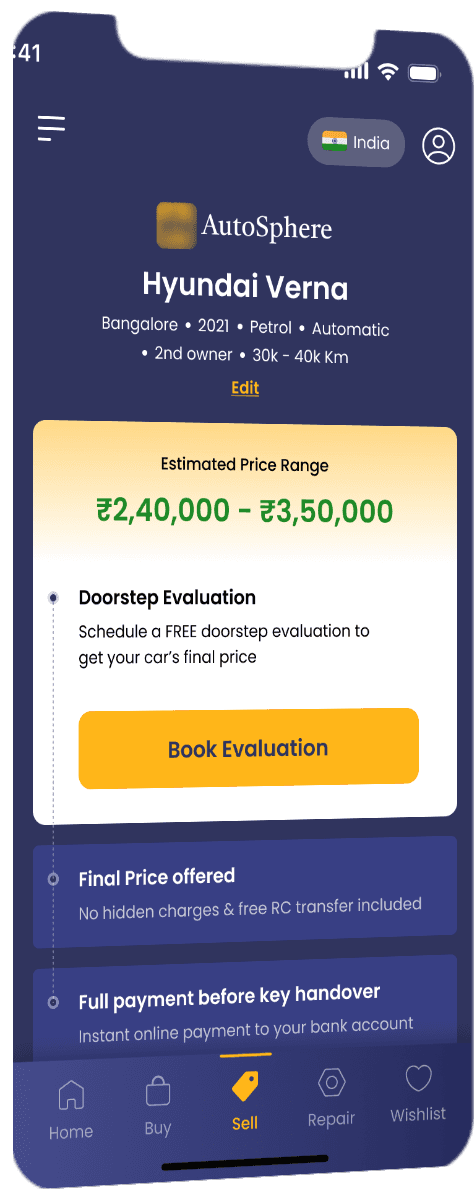
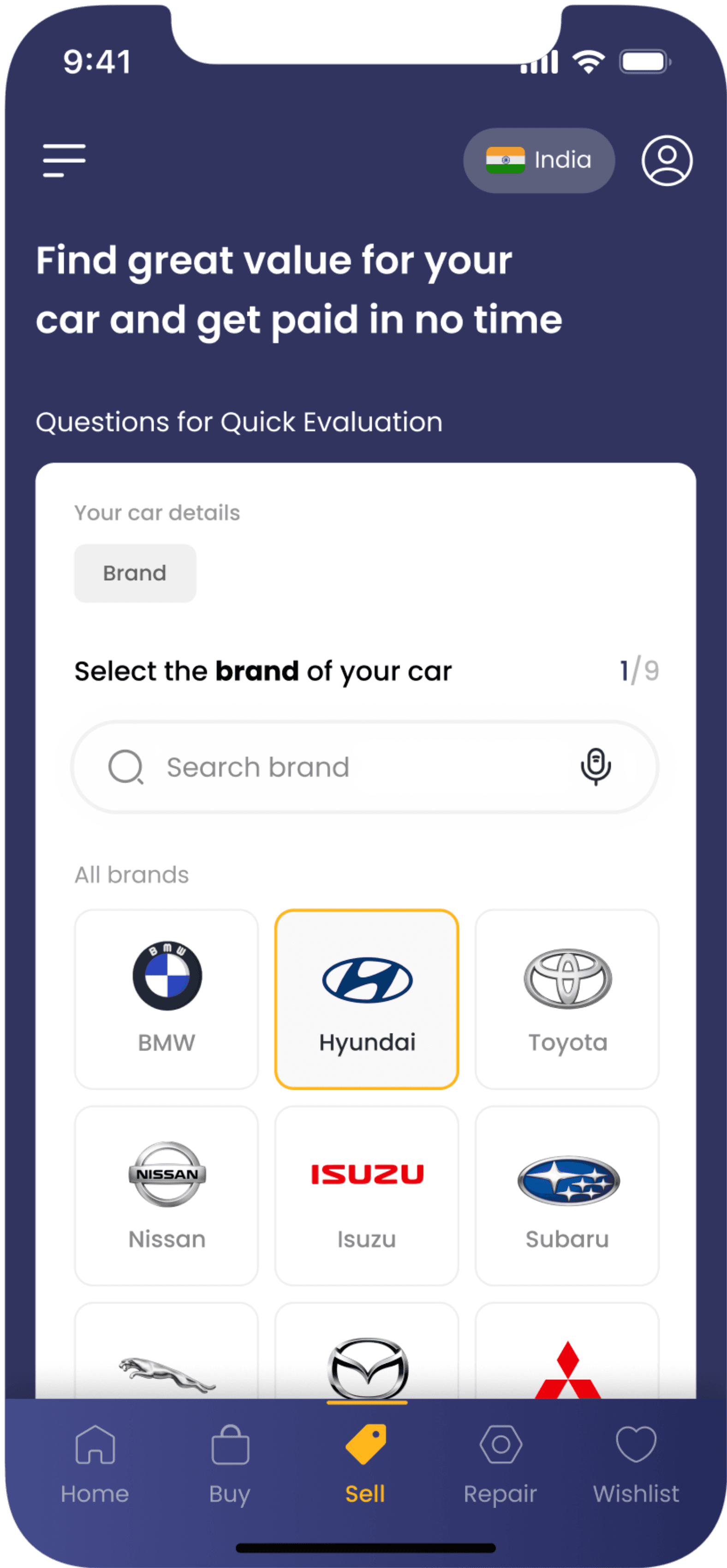
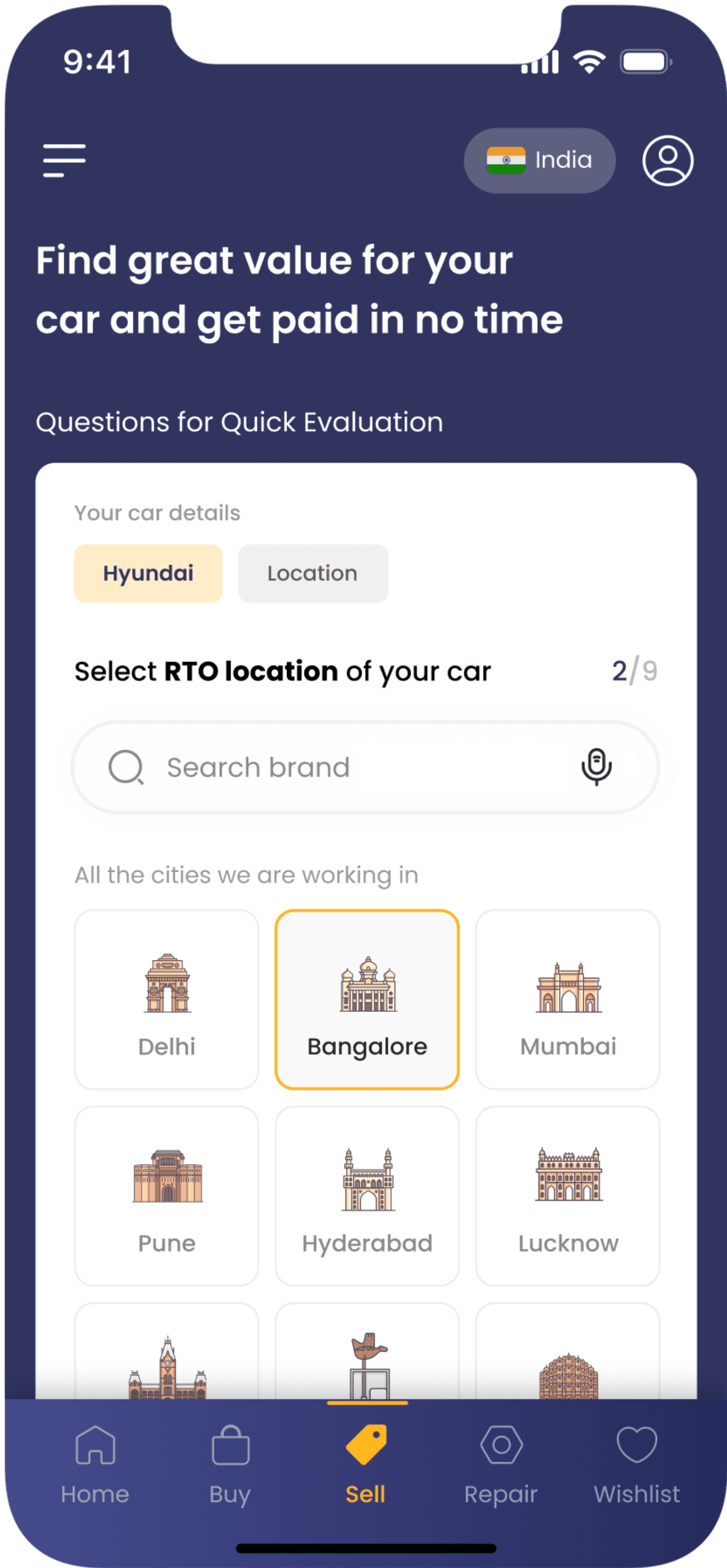
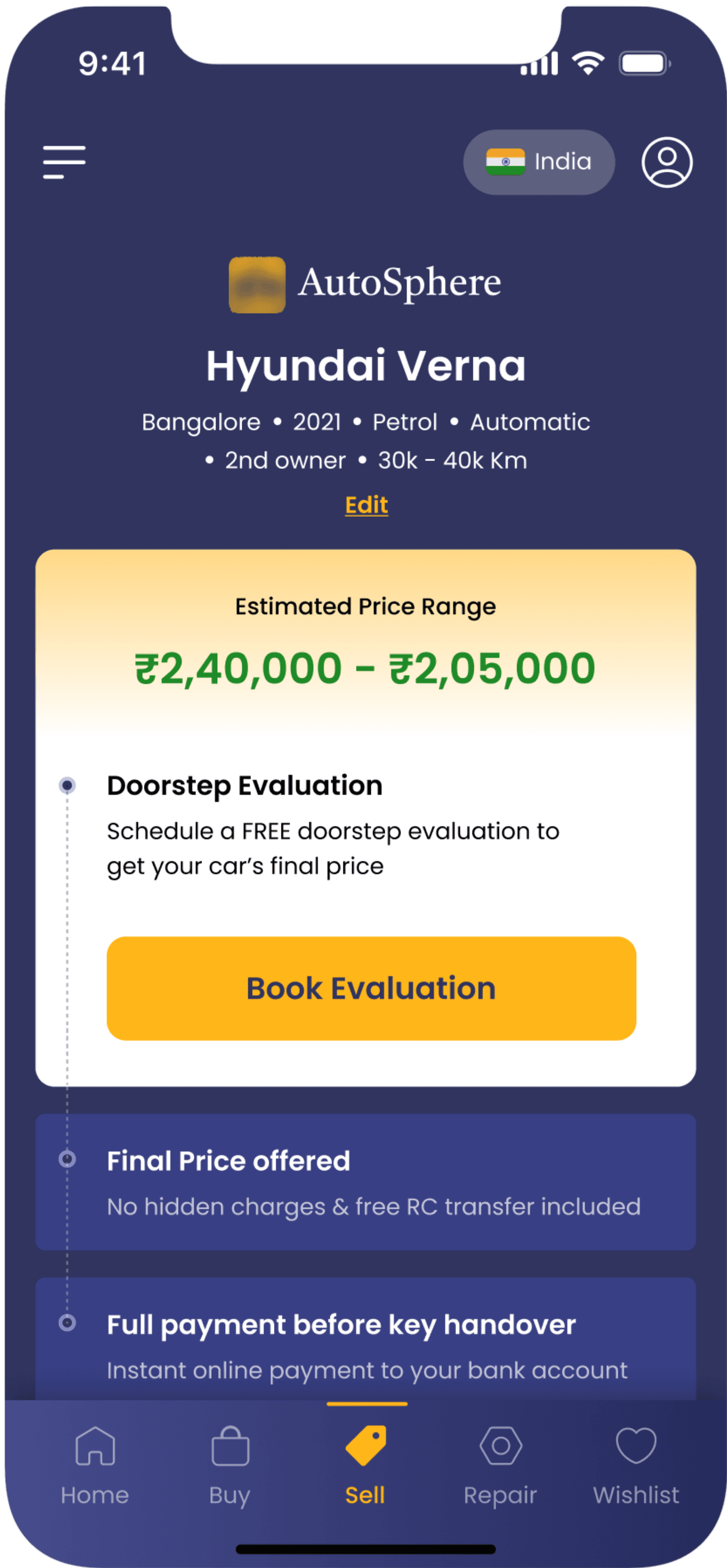
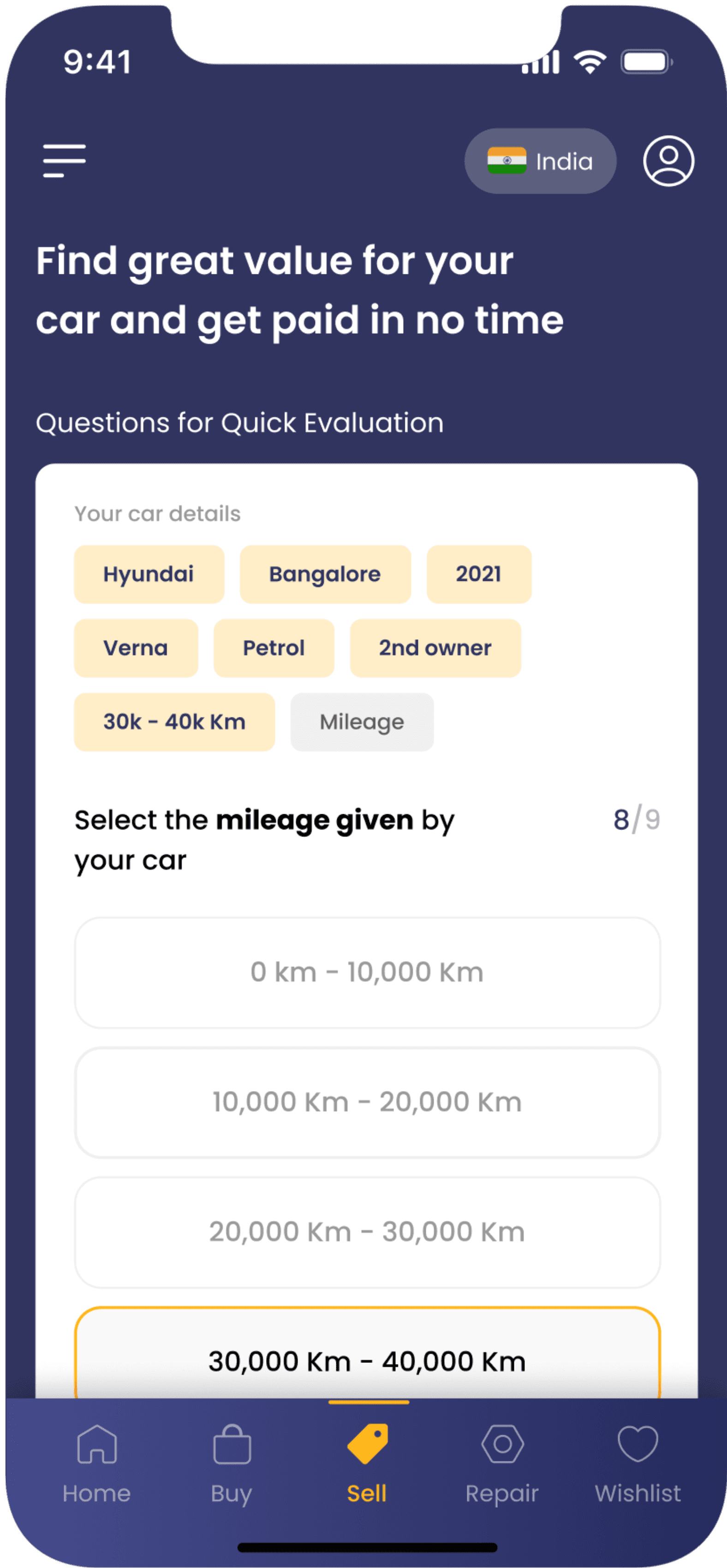
In the car-selling section, I’ve minimized cognitive load by showing previous answers at the top of each question and outlining the next steps at the end of the price evaluation.
1
Reducing Cognitive Load
By displaying previous answers at the top, we reduce cognitive load and help users focus on the current question. Additionally, users can easily revisit previous questions by clicking on the answer chips at the top.
2
Using Visuals Aids
We’re incorporating visual aids and icons for brand, location, car body type, and other upcoming questions. Using these visuals helps users quickly understand and engage with the options, making the process more intuitive and user-friendly.
3
Accuracy & User Control
Improving accuracy and user control by displaying basic car details at the top, users can review and edit information as needed. The results also outline the next steps, guiding users through the process and enhancing their overall experience.
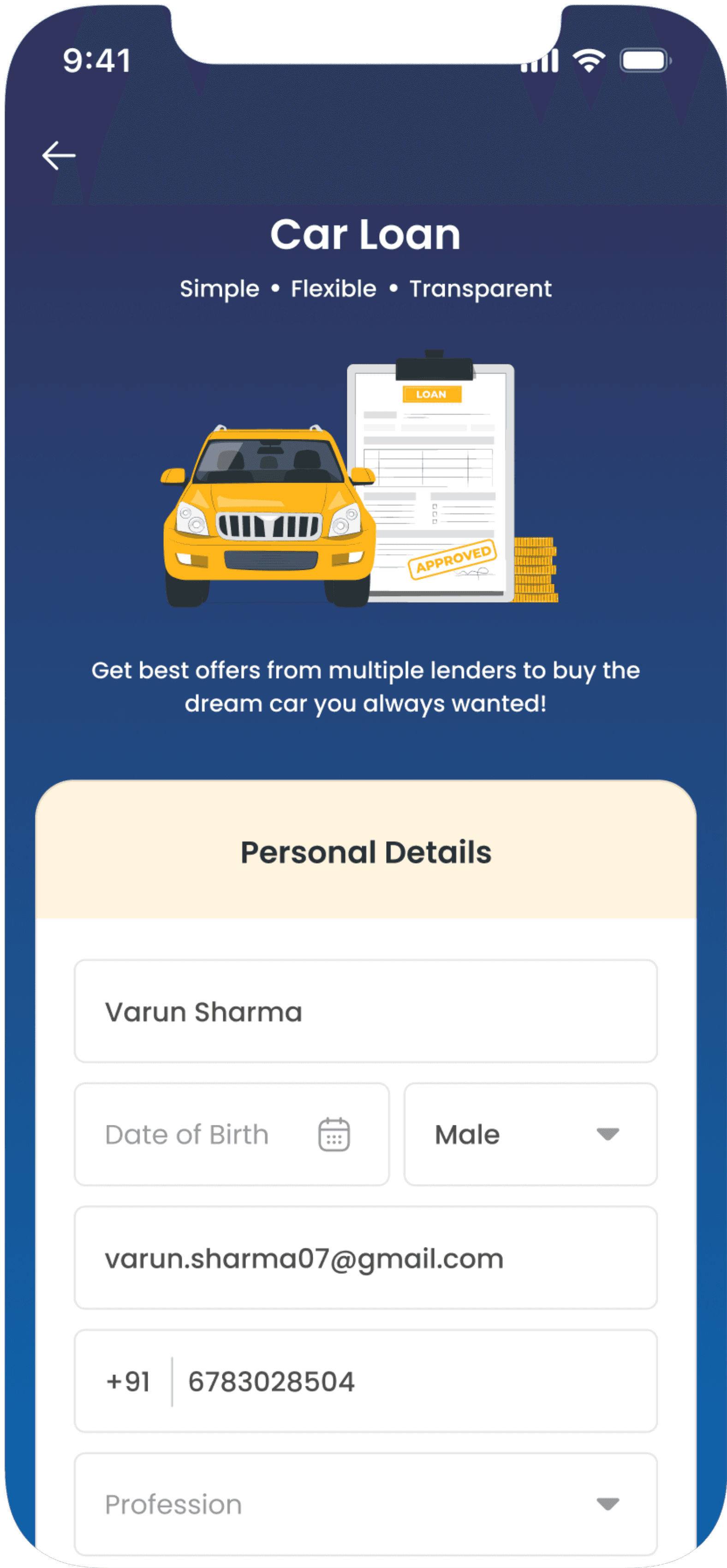
Loan Eligibility
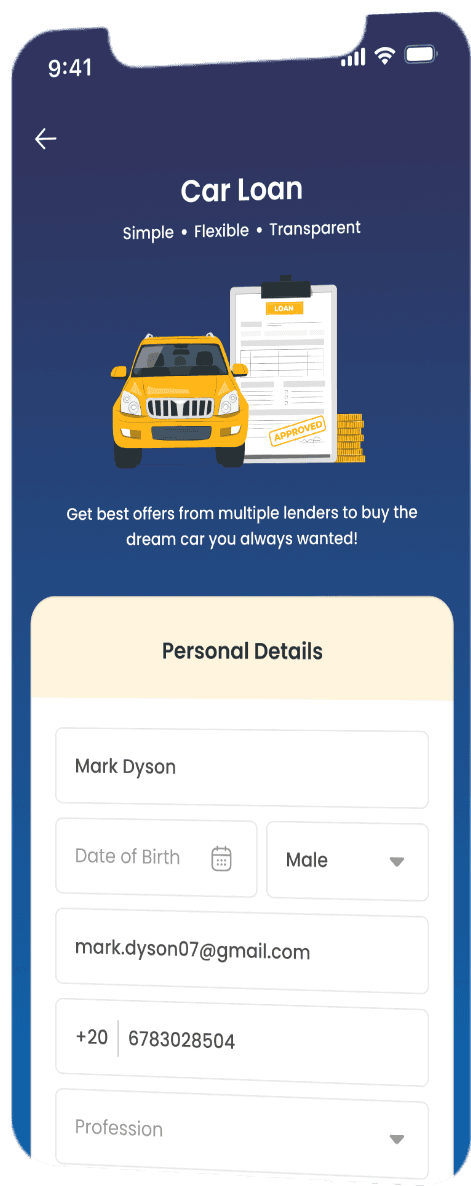
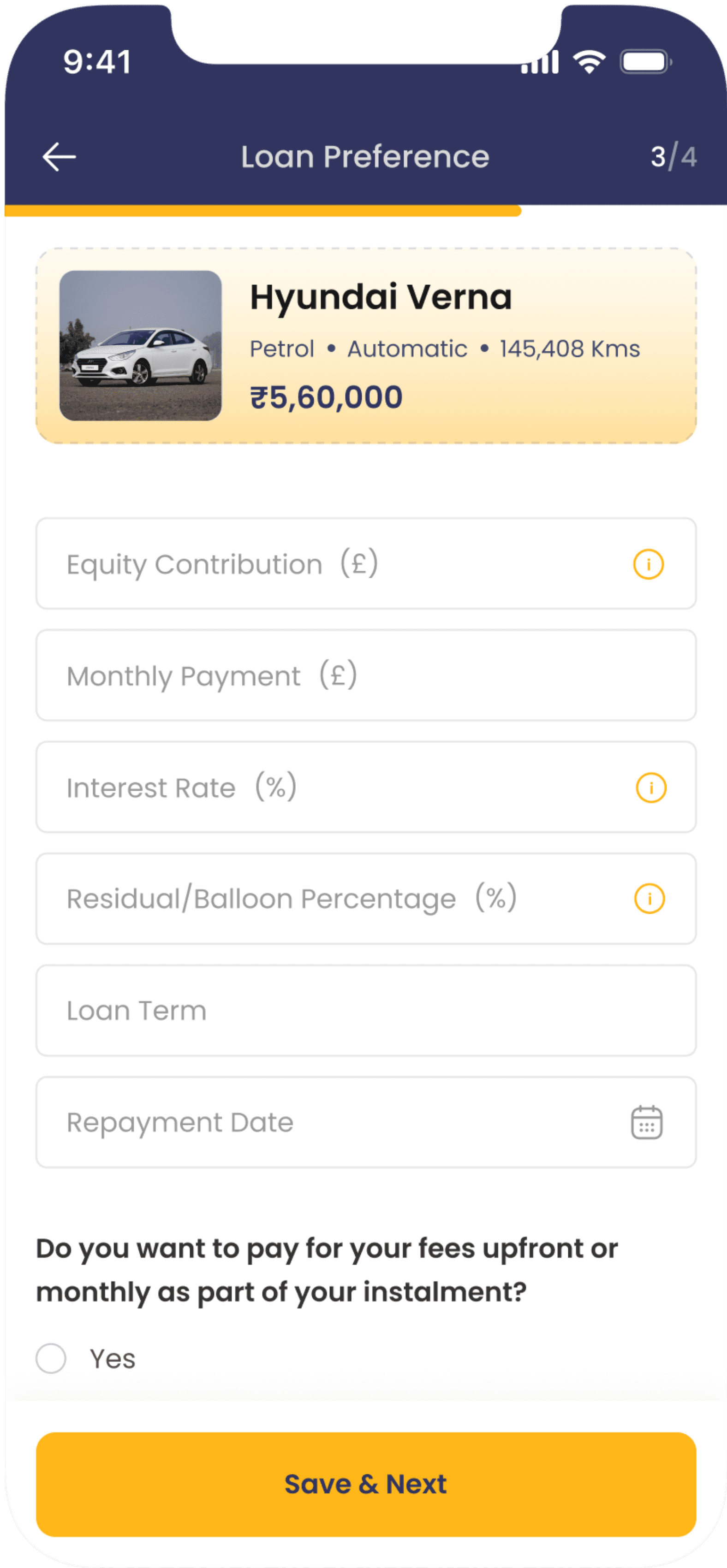
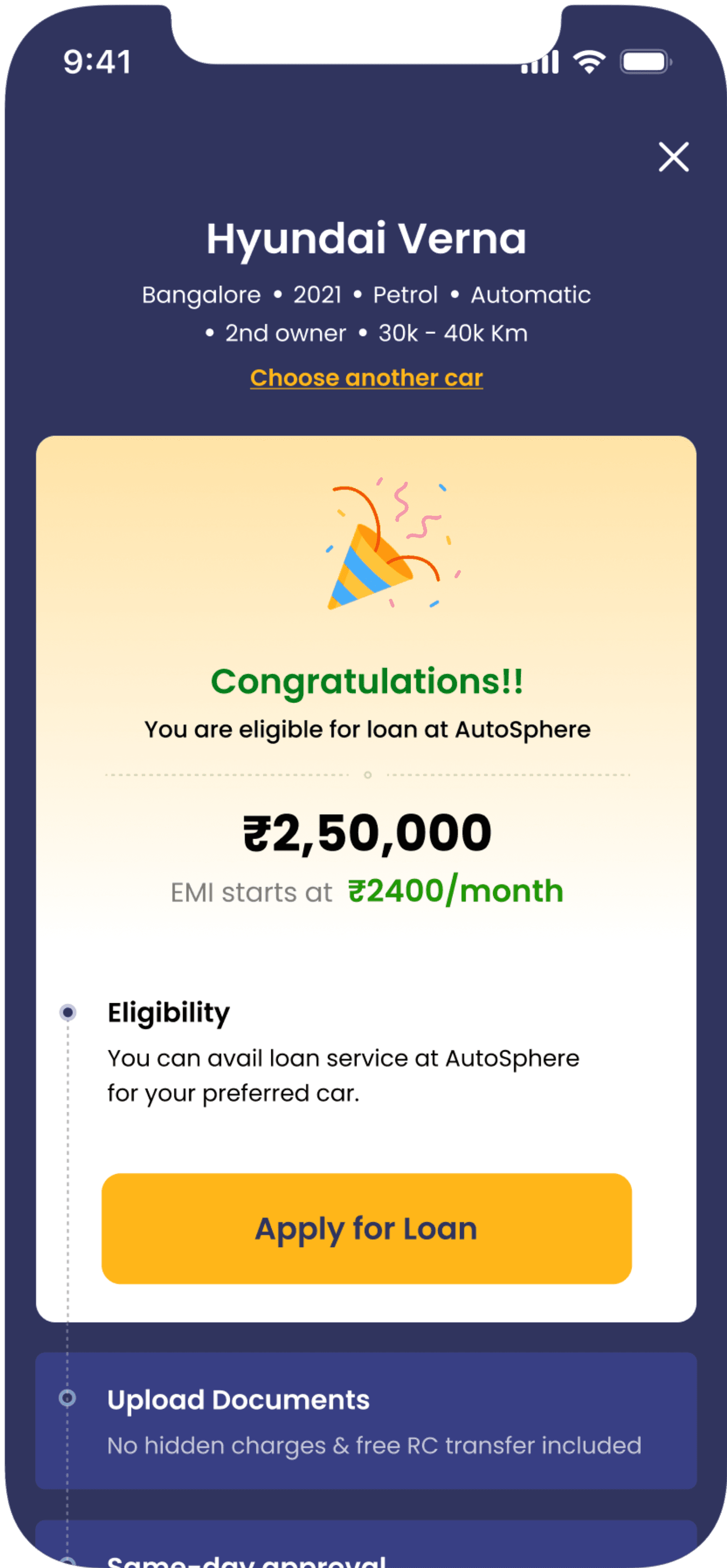
The client was particularly concerned about the "Checking Loan Eligibility" section. Here, I have again reduced the cognitive load of the user by keeping the car details at the top and divided the questionnaire into three steps, rather than overwhelming users with all questions at once.
learnings
Wrapping Up
This project was full of hard work, exploration, and in-depth discussions with stakeholders. It’s tough to sum up everything I’ve learned, but here are the key takeaways!
Less is More, but Not Always
I learned that while simplicity is important, users still want all the features—just without the mess. It’s a challenge to give them everything they want without making it overwhelming.
Discover, Analyze, and Improve
Explore the market to find ways to improve user solutions. I found that while many apps address key issues, none offer a complete solution, so I combined the best features from them into our product.
You’ve made it this far—thanks for stopping by! Check out more of my work and don’t hesitate to get in touch.