INVENTORY MANAGEMENT PORTAL
Seamlessly Integrating Package Creation into QuickTrack RFID, an Inventory Management Portal

Team
Product Manager
Business Analyst
Designer
Developers
My Role
Conceptualisation
Research
Design
Dev hand-off
Duration
3 Weeks
Deliverable
Designs
PROJECT CONTEXT
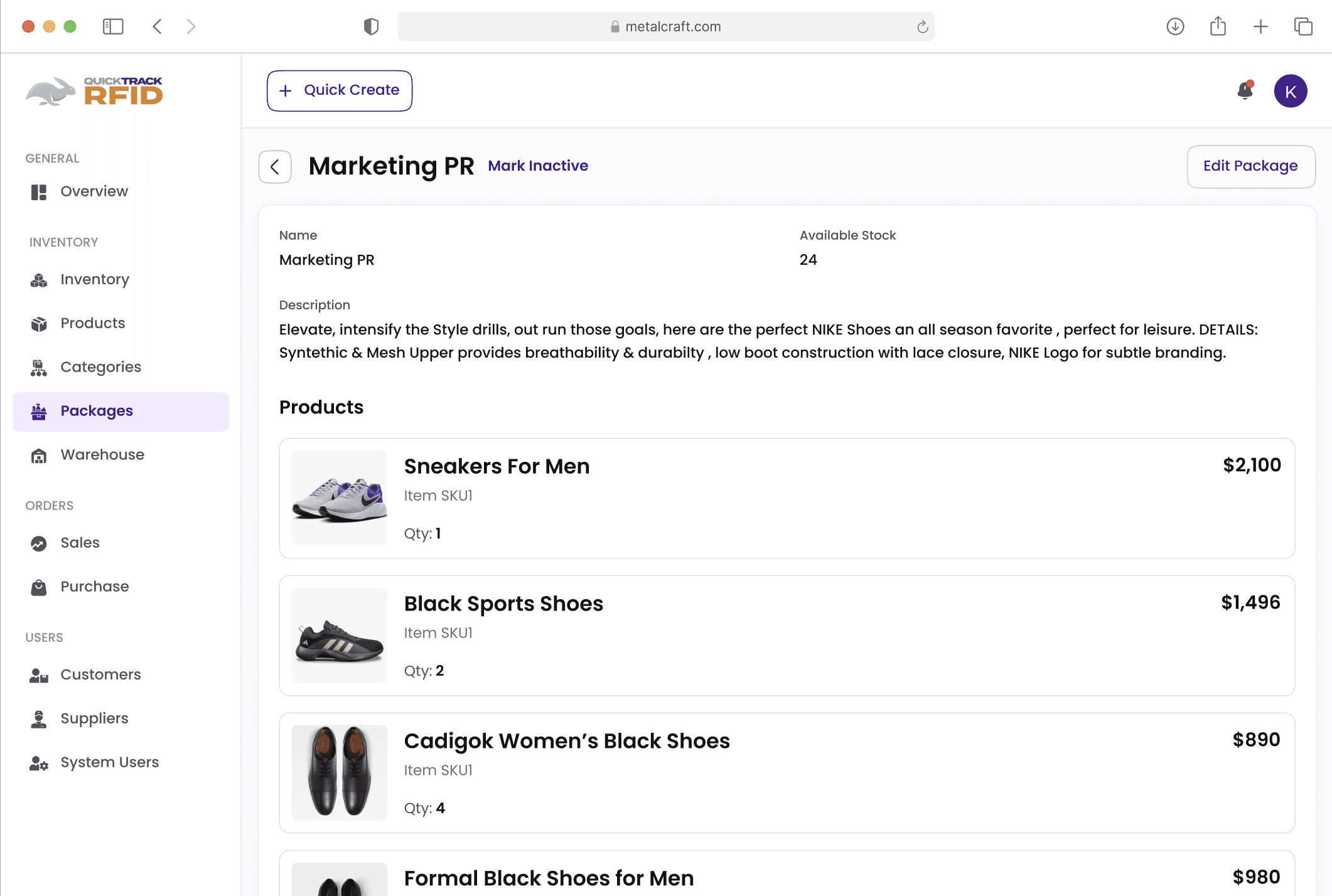
Introducing Package Creation for Smarter Inventory Management
QuickTrack RFID is an inventory management portal that helps businesses track, organize, and manage their products across warehouses. To extend its capabilities, we introduced a Package Creation module — allowing admins to bundle multiple products into a single package, often at a discounted price. This not only made inventory management more flexible but also gave businesses a way to create attractive offers for their customers.

BACKGROUND
Why Package Creation Was Needed in QuickTrack RFID?
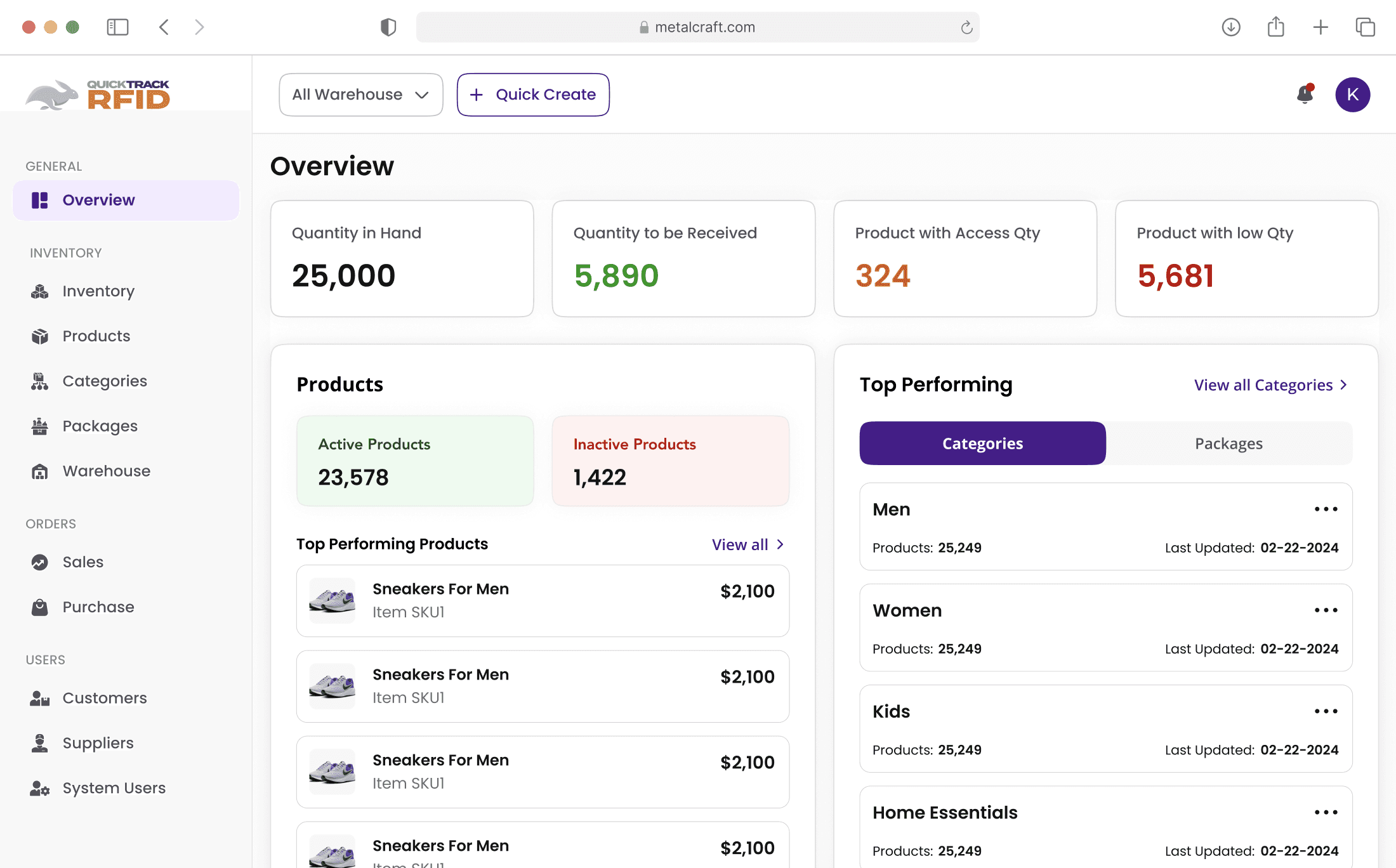
The client saw a growing need for businesses to sell bundled products (e.g., a men’s formal wear package with shirt, trousers, and shoes at a discount), but the tool lacked the ability to create and manage such bundles.
PROBLEM STATEMENT
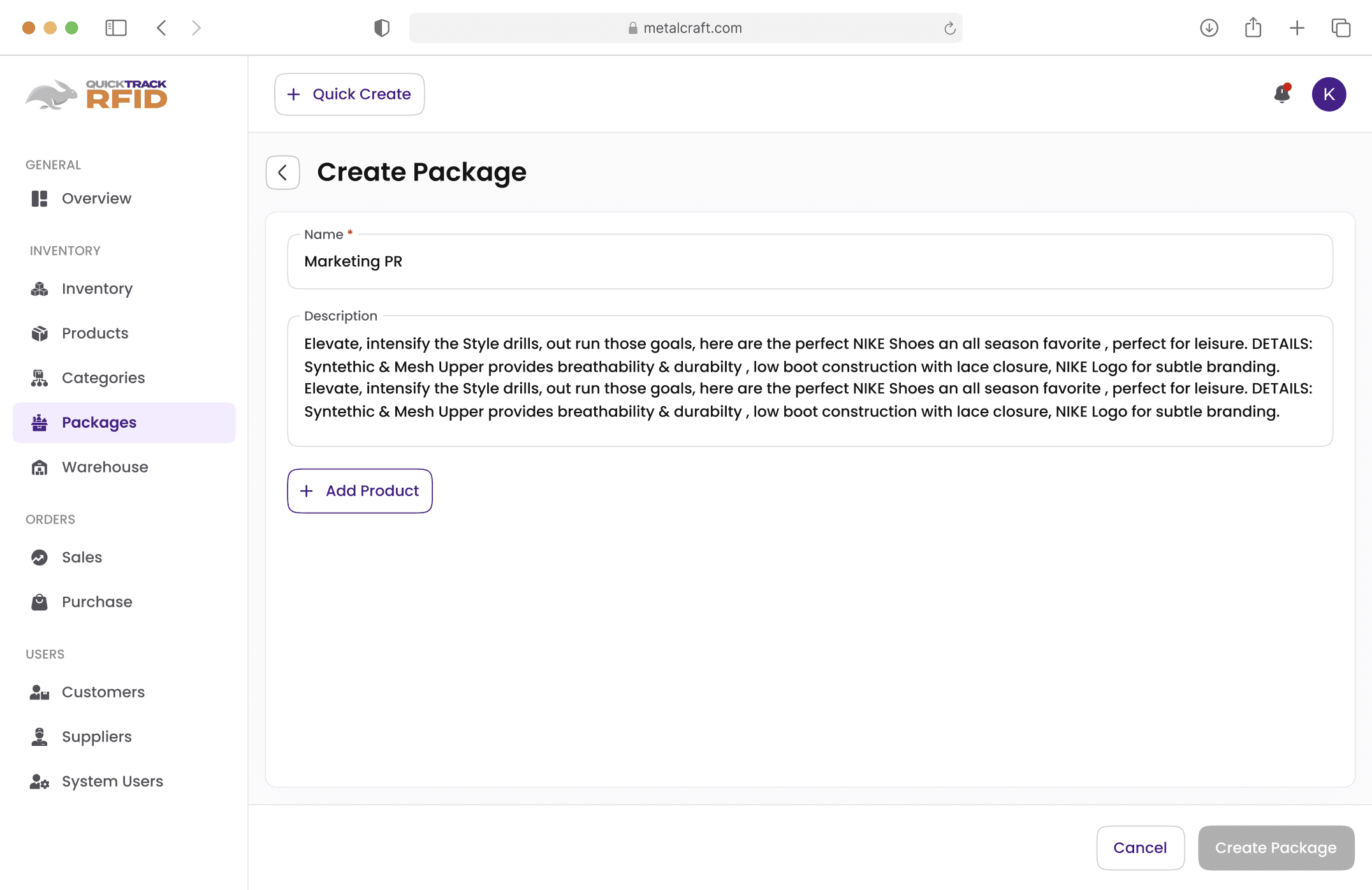
Users may struggle to find products in large inventories, slowing down package creation
How might we help users efficiently create packages by selecting products from a large inventory, ensuring speed, clarity, and ease of navigation without overwhelming them?
EXPLORATION & LEARNINGS
What I Learned from Zoho & ERPNext (and Why I Moved On)
When admins create a package, they’ll likely deal with hundreds (if not thousands) of products. Scrolling endlessly through a massive list not only slows down the system but also overwhelms the user
So, the real pain point wasn’t just “finding products”—it was about finding them quickly, without getting lost or frustrated.
What would be the easiest way for an admin to locate a product?
Should they rely on categories, subcategories, or simply search?
How can we prevent long loading times while keeping the experience smooth?
Looking at how other apps work:


Zoho Inventory uses a typeahead search — when users click ‘Add Row’, they can start typing a product name or SKU, instantly see matching results, and add the product to the bundle.
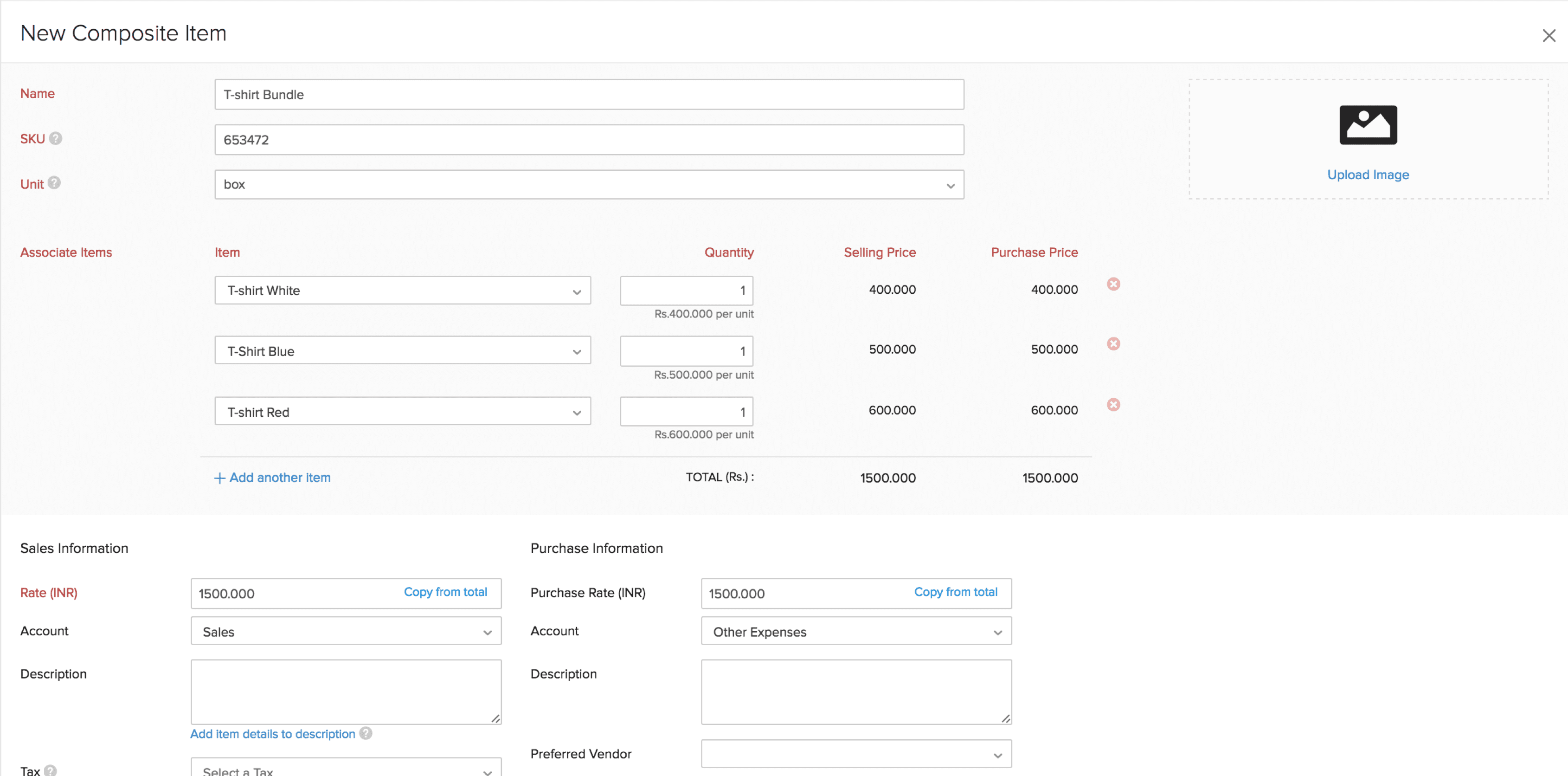


ERPNext also supports typeahead search — when users click ‘Add Row’, a search-enabled dropdown appears, where typing product details instantly suggests matching items to add.
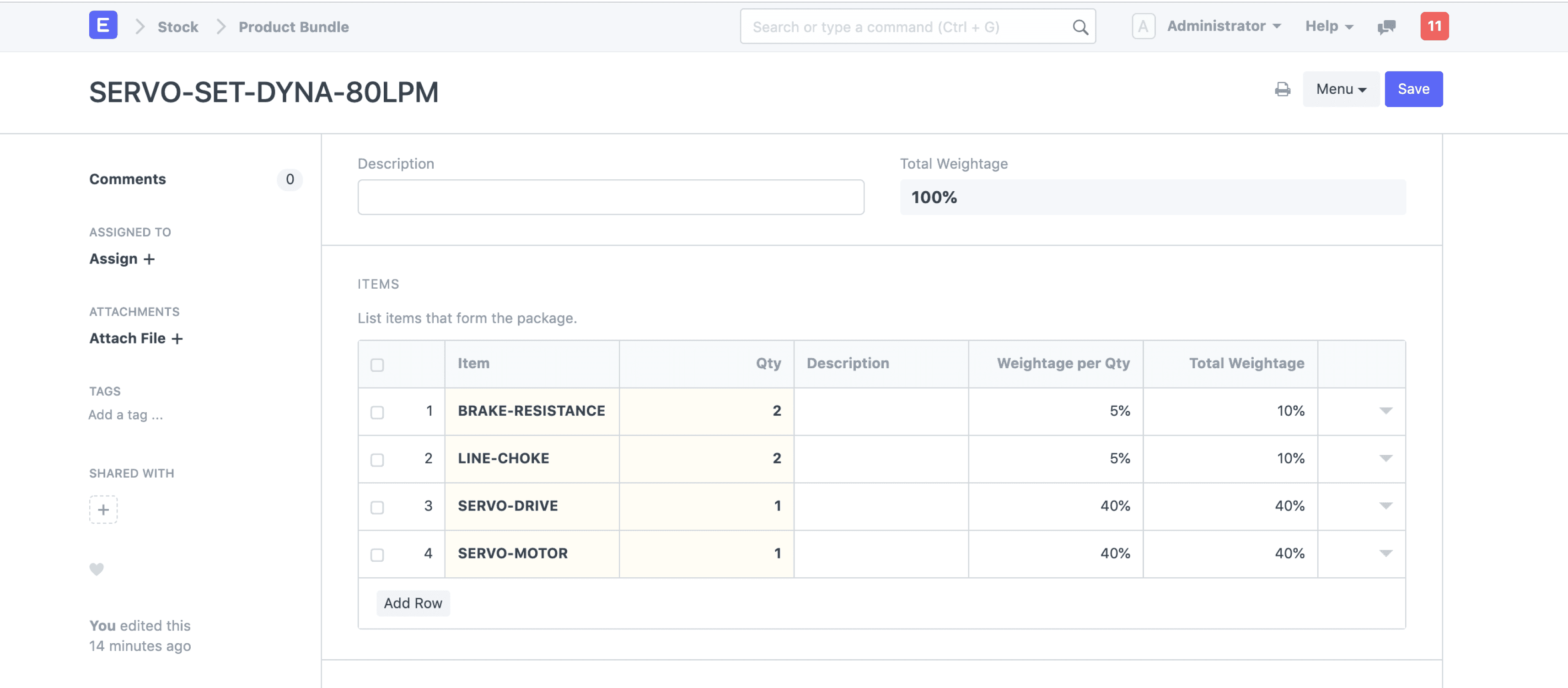
No need to browse through multiple screens—search and select in one step.
With very large catalogs, typeahead slows down. (Zoho and ERPNext keep it under ~2–3s, but beyond that it gets sluggish).
Doesn’t scale well if users need to add bulk items—scrolling and typing repeatedly becomes tedious.
BRAINSTORMING SOLUTIONS
Brainstorming a few possible ways to let users browse and select products quickly
Each idea seemed promising at first, but when I dug deeper—discussing with the team and analyzing possible user flows—some challenges came to light.
Solution 1
Show the entire list of products upfront (with lazy loading) + search bar & filter

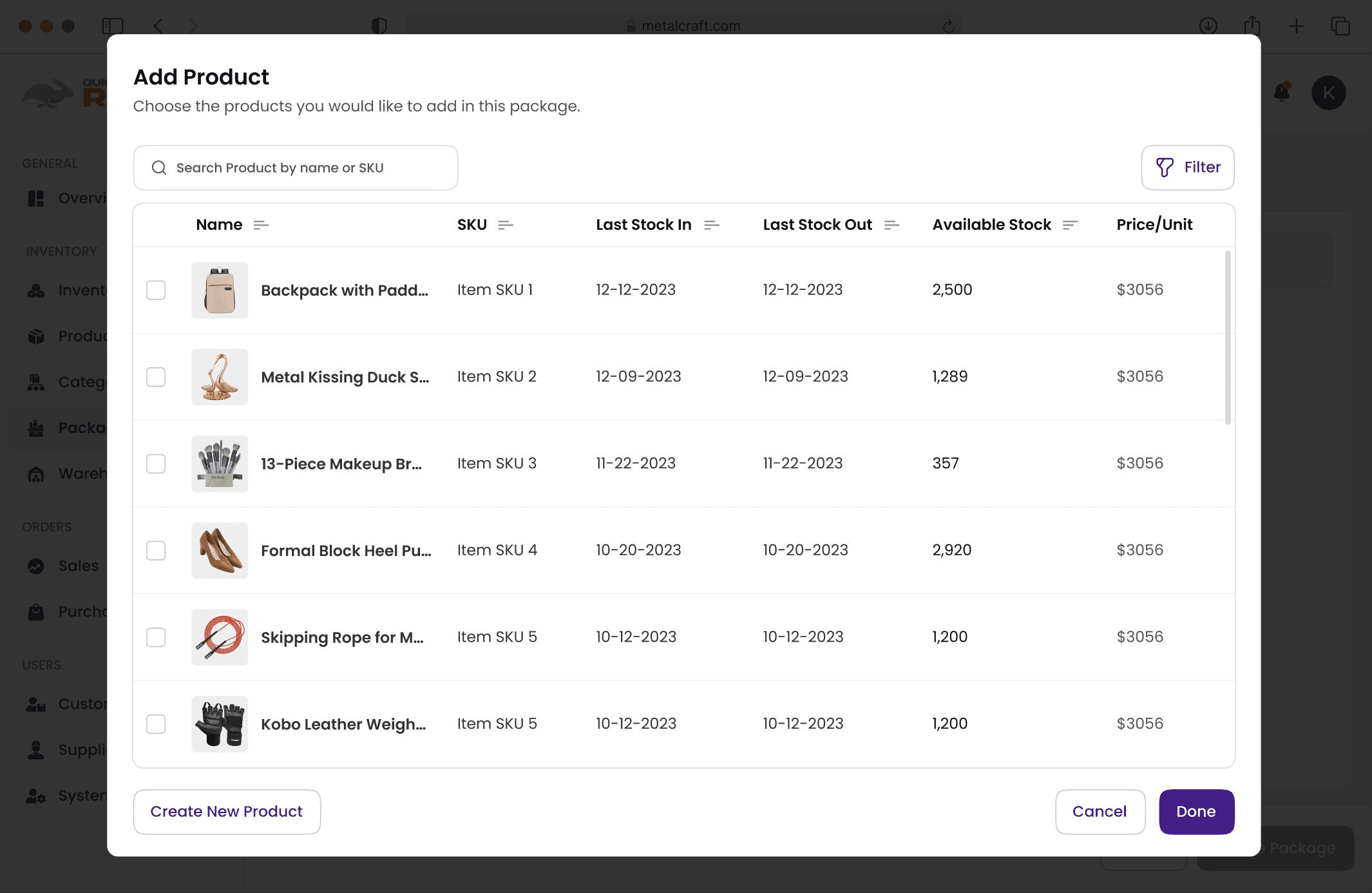
Users can quickly jump to a product using the search bar.
Everything appears in one place with fewer clicks
User struggle if they don’t know the exact name of the product.
Lazy loading slows down with thousands of SKUs (4–6s delay)
Solution 2
Category → Sub-category → Product list + search bar inside
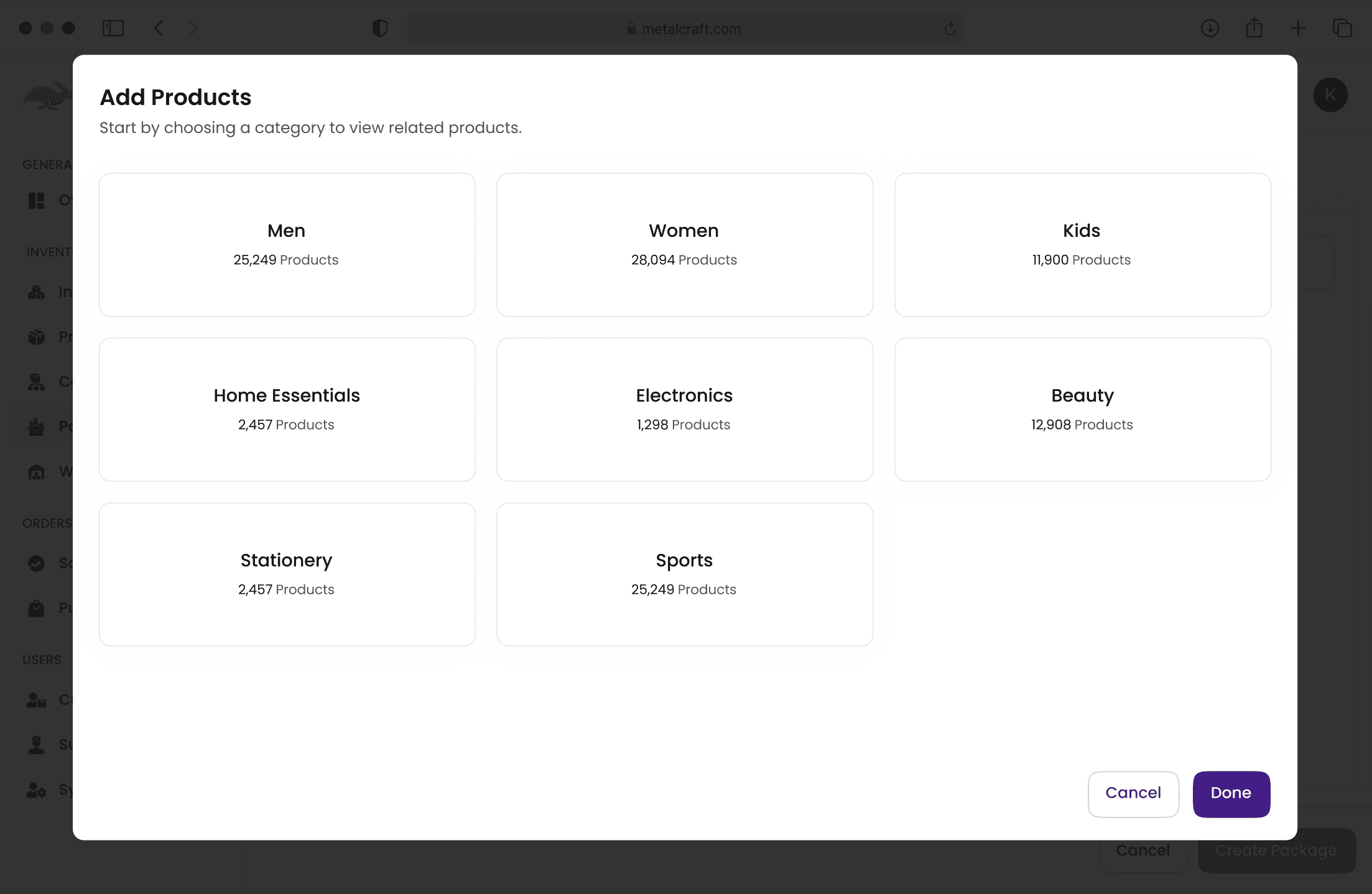
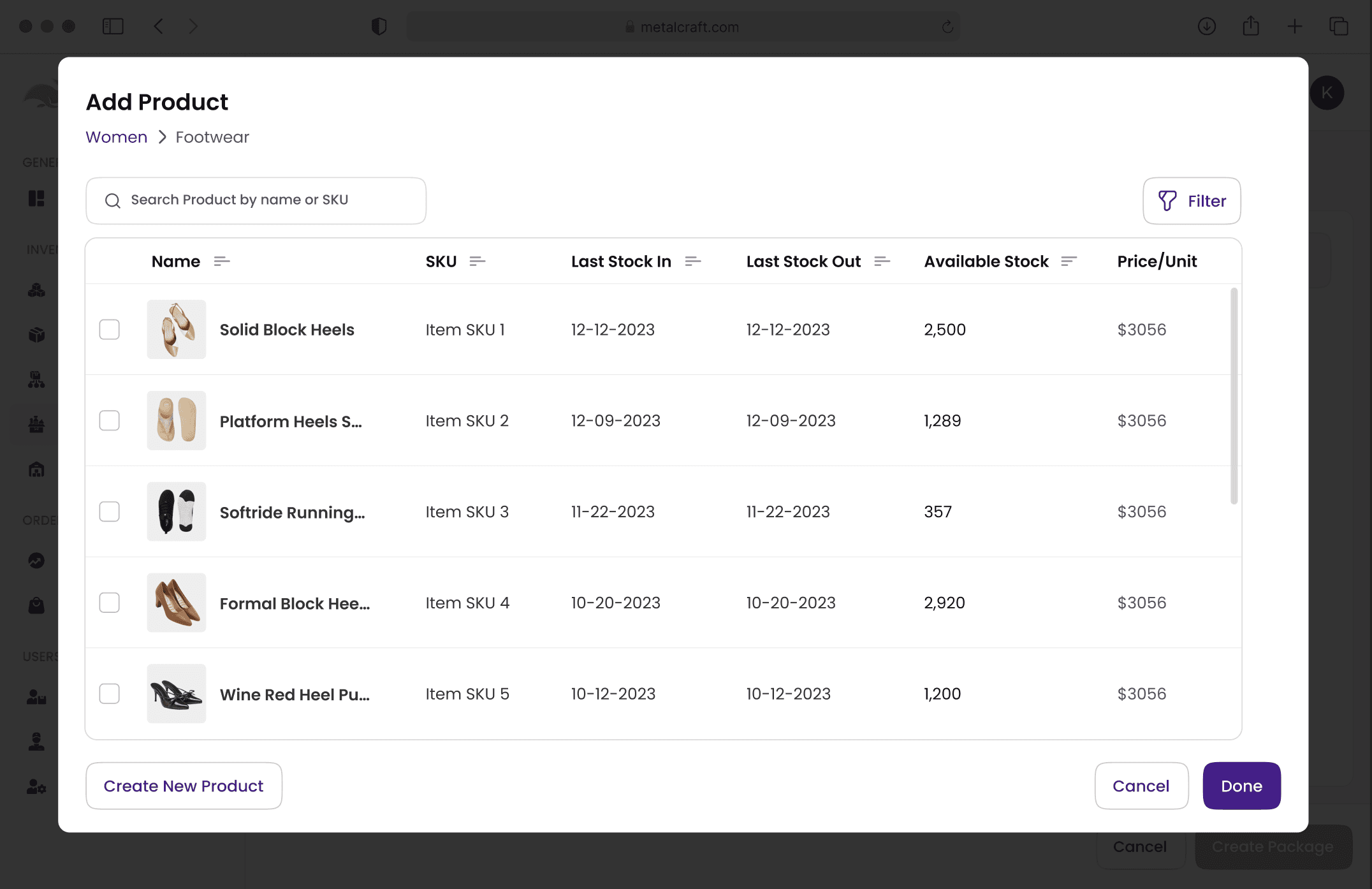
Faster load compared to full product list since only a subset is fetched at each step.
Add 3-4 extra clicks for the users who knows what they want.
Extra API calls per drill-down → worse on slow networks.
Adding products from multiple categories forces users to go back and forth between screens, slowing down the workflow.
Solution 3 (Final Solution)
Hybrid Solution (Categories on Left + Global Search on Top)
How it works:
The user lands on the package creation screen where the left panel shows categories and sub-categories. As they select or filter, the right panel updates with matching products. From there, they can search, browse, and add items instantly, without extra clicks or page reloads.
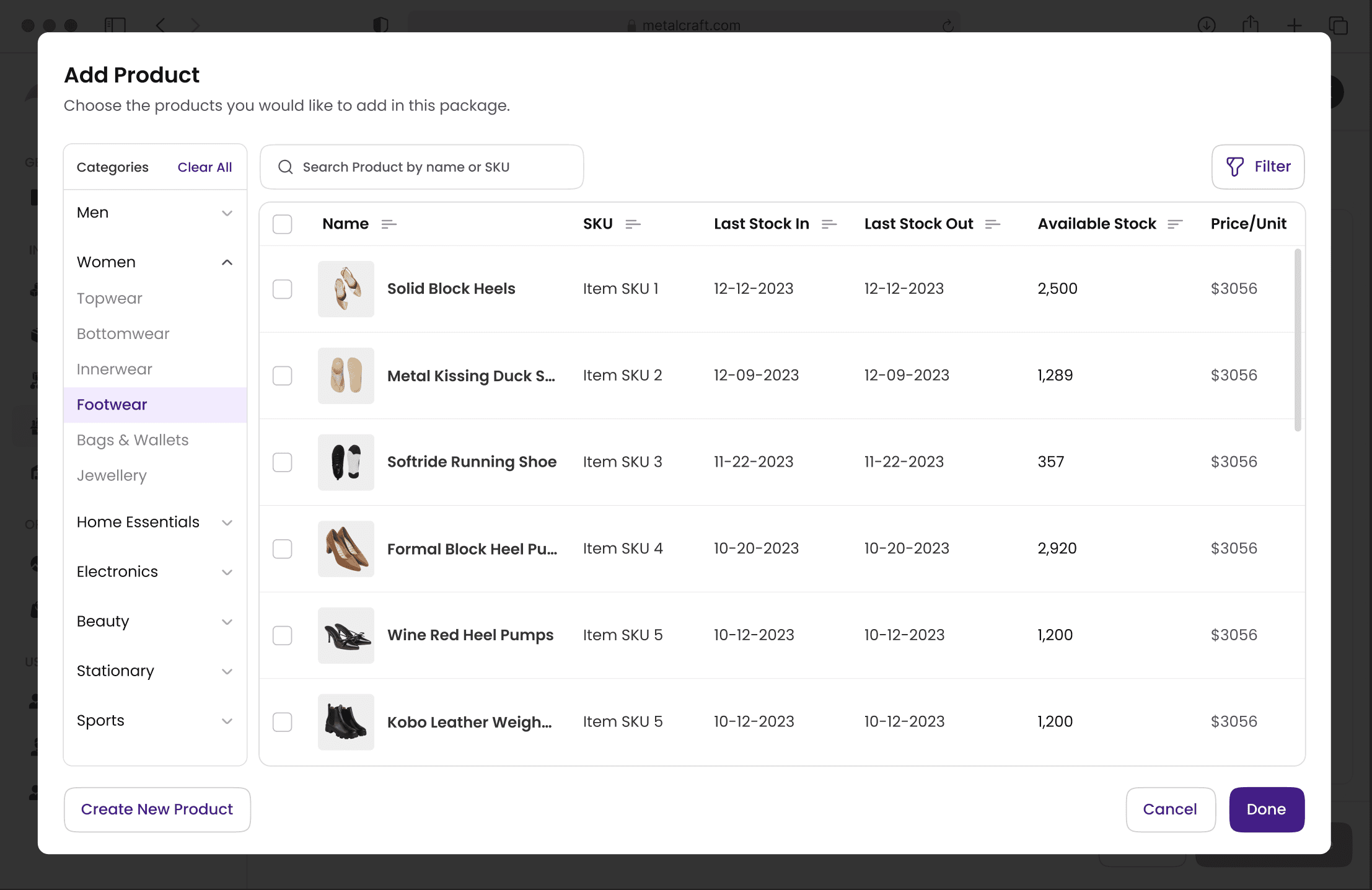
Balances both users: seekers (search) and browsers (categories).
Reduces initial load by 70–80% (only fetches relevant subsets).
Search is fast (<2 sec) but not the only option.
Works for small and large packages without performance issues.
impact
The Impact Beyond Screens
While the real business impact is yet to be measured, the design improvements clearly shaped the user experience in meaningful ways:
1
Faster package creation
Reduced the time it takes for users to browse and select products from a large inventory.
2
Clearer organization
Categories and sub-categories guide users smoothly to the right products.
3
Improved scalability
Optimized data loading ensures the portal performs well as inventory grows.
KEY TAKEAWAYS
Things I’ll Keep in My Designer’s Backpack
Thinking beyond design
Technical feasibility shaped many of my choices. Engaging closely with developers helped me understand system limits like load times and data-fetching. It reinforced that good design isn’t just about usability but about creating solutions that work within real engineering constraints.
Being open to iteration
This project required me to re-think my solutions multiple times. What seemed practical at first revealed issues like load times and scalability. Iterating on feedback helped me refine my approach and arrive at a solution that was both user-friendly and technically feasible.
You’ve made it this far—thanks for stopping by! Check out more of my work and don’t hesitate to get in touch.